⌀ No AI ⌀ No Subscription 🔒 Your Data Stays Local ⊞ Windows & Mac OS

Write the book.
All of it.

Draftwell Pro is a local writing app that organizes your book, tracks your time, analyzes your prose, and manages your submission pipeline — all on your own machine, with no subscription and no AI.

Writing is hard enough.
Your tools shouldn't make it harder.

Most writing software was designed by product managers, not writers. You end up managing the tool instead of the book.

😵

You lost a character three chapters ago

No record of when Elena first appeared, what she looks like, or why she's afraid of horses. It's in your head — somewhere.

You have no idea how long this is taking

You've been "working on it" for eight months. How many actual writing hours is that? You don't know. You've never known.

💌

Your query list is a spreadsheet nightmare

Forty agents, each with different portals, response windows, and statuses — tracked in a Google Sheet that hasn't been touched since March.

💵

You're renewing a subscription for a tool you've outgrown

Another few dollars a month to fight an interface that still looks like it was designed for screenwriters in 2007.

Everything you need.
Nothing you don't.

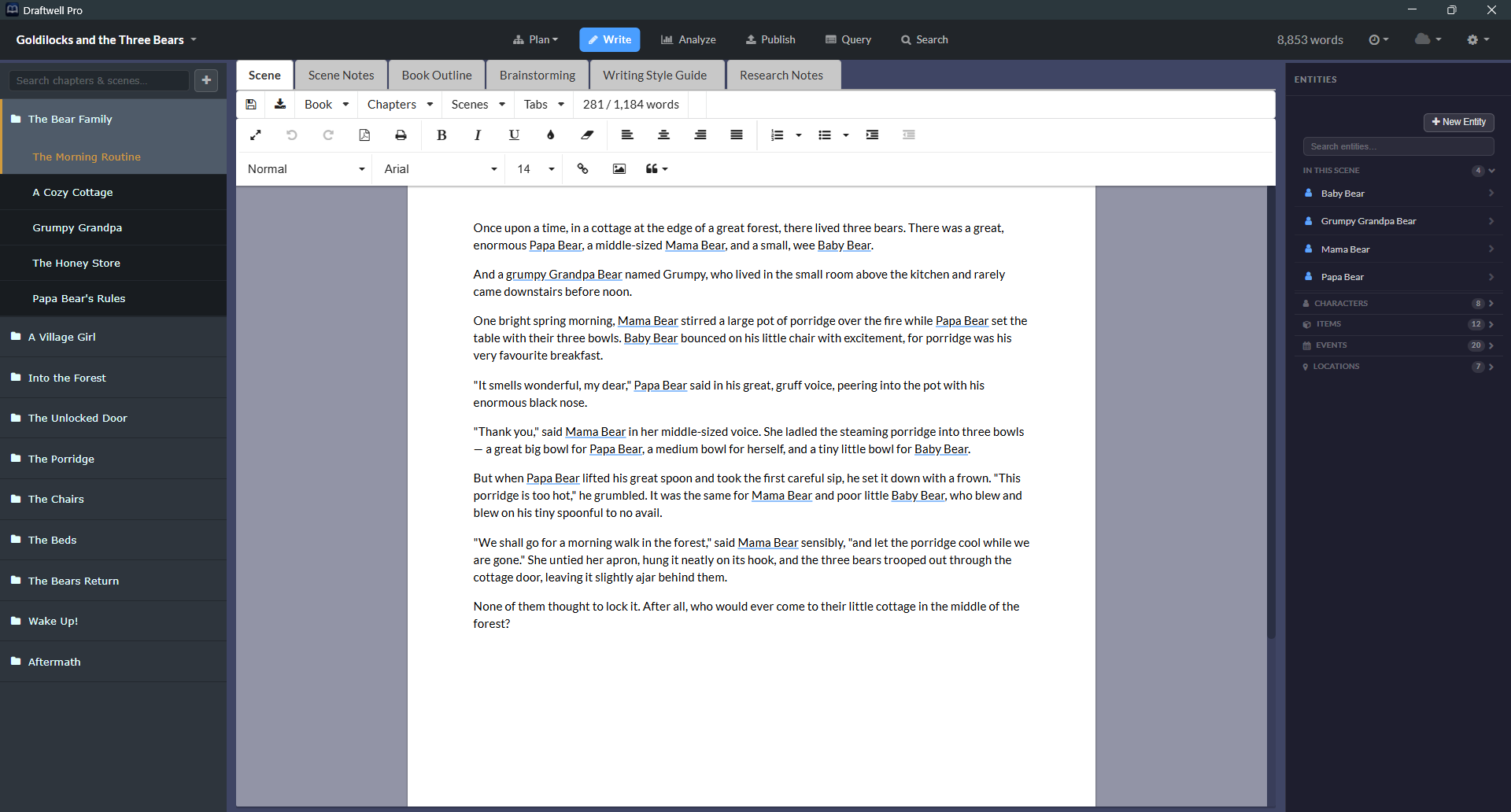
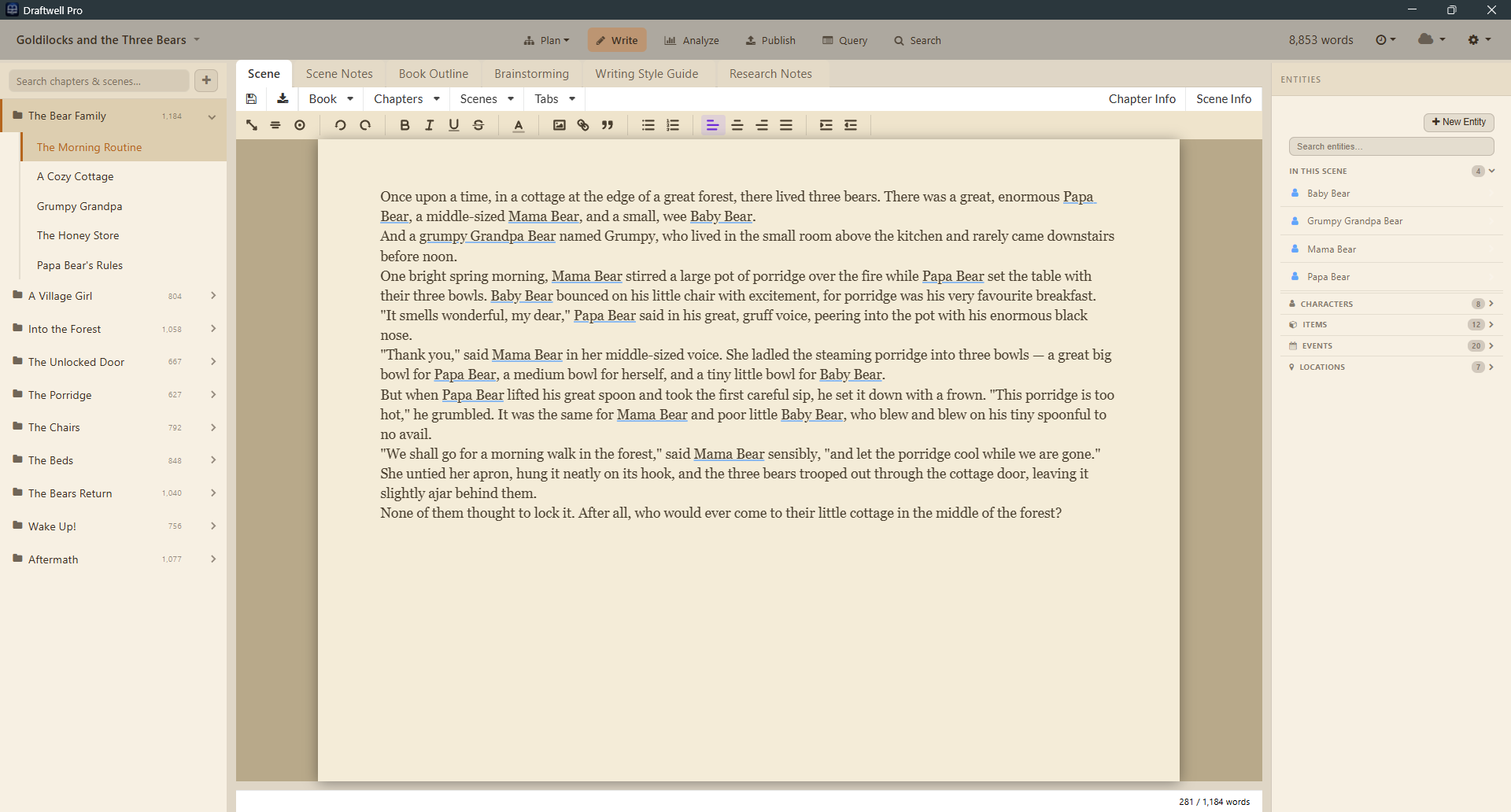
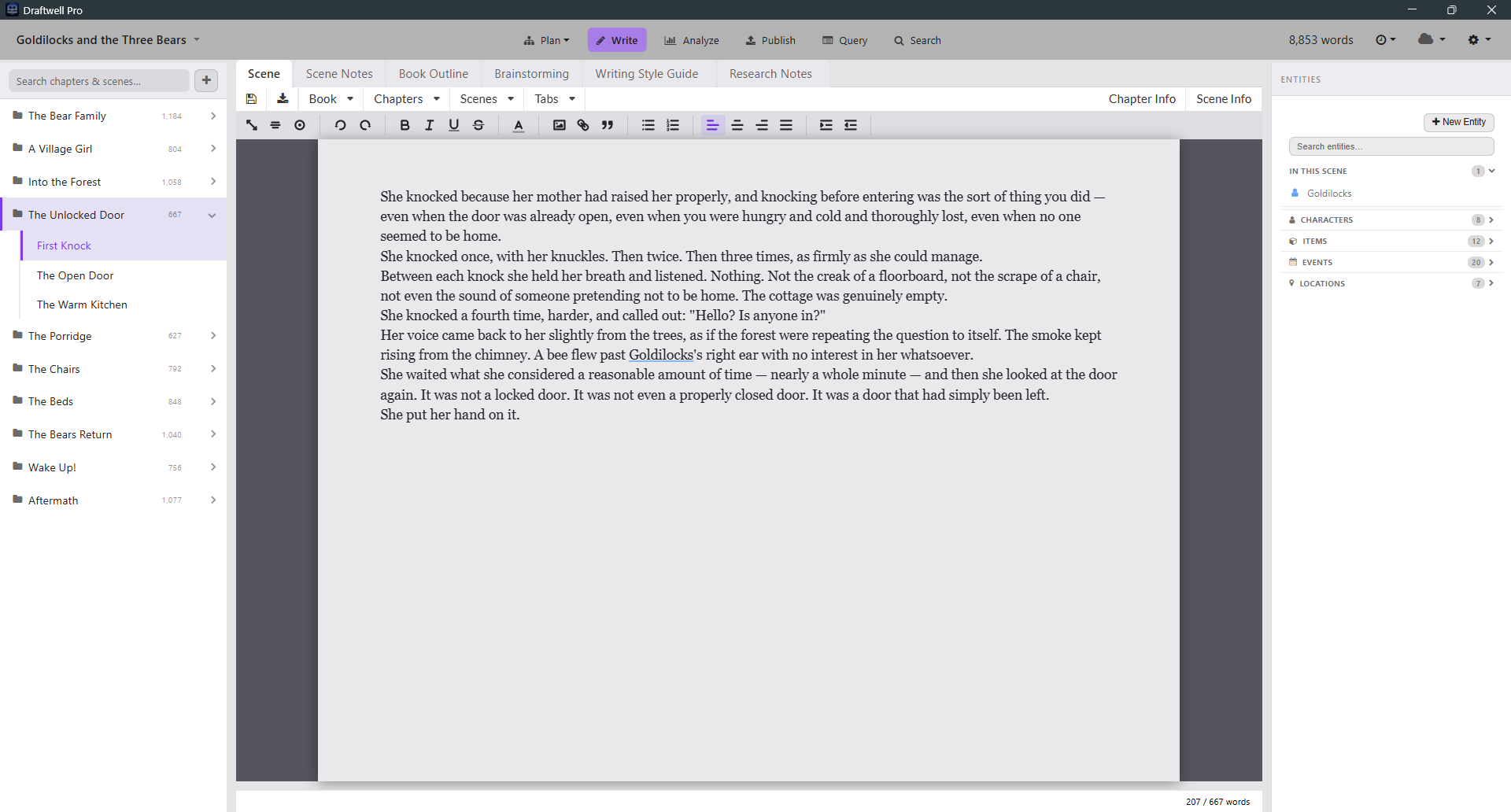
Your book lives in a clean three-level hierarchy: Book → Chapter → Scene. A sidebar shows your full structure at a glance. Click a scene, write in it. That's the whole interface.

Rich Text Editor

Real formatting — bold, italic, headings, lists.

💾

Auto-Save Every 5 Seconds

Changes saved automatically whenever you've written something new. You will never lose a sentence.

📋

Notes Per Scene & Custom Tabs

A built-in Notes tab on every scene, plus unlimited custom tabs for research, character beats, or reference material.

📖

In-Editor Thesaurus

Right-click any word for synonyms. Offline-first — works without internet.

Entity Highlighting

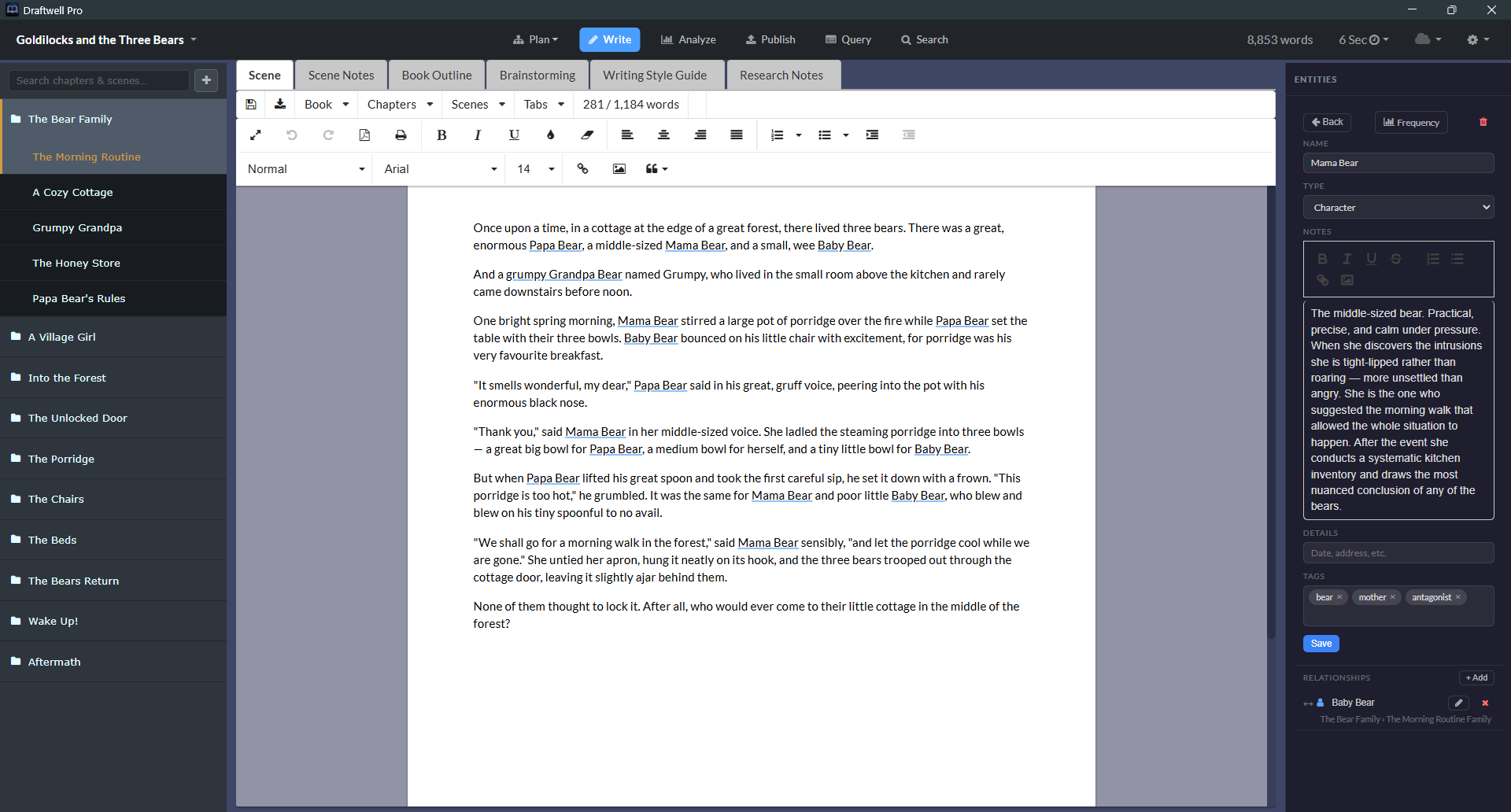
Known characters, locations, and items glow in the editor as you type — continuity problems become impossible to miss.

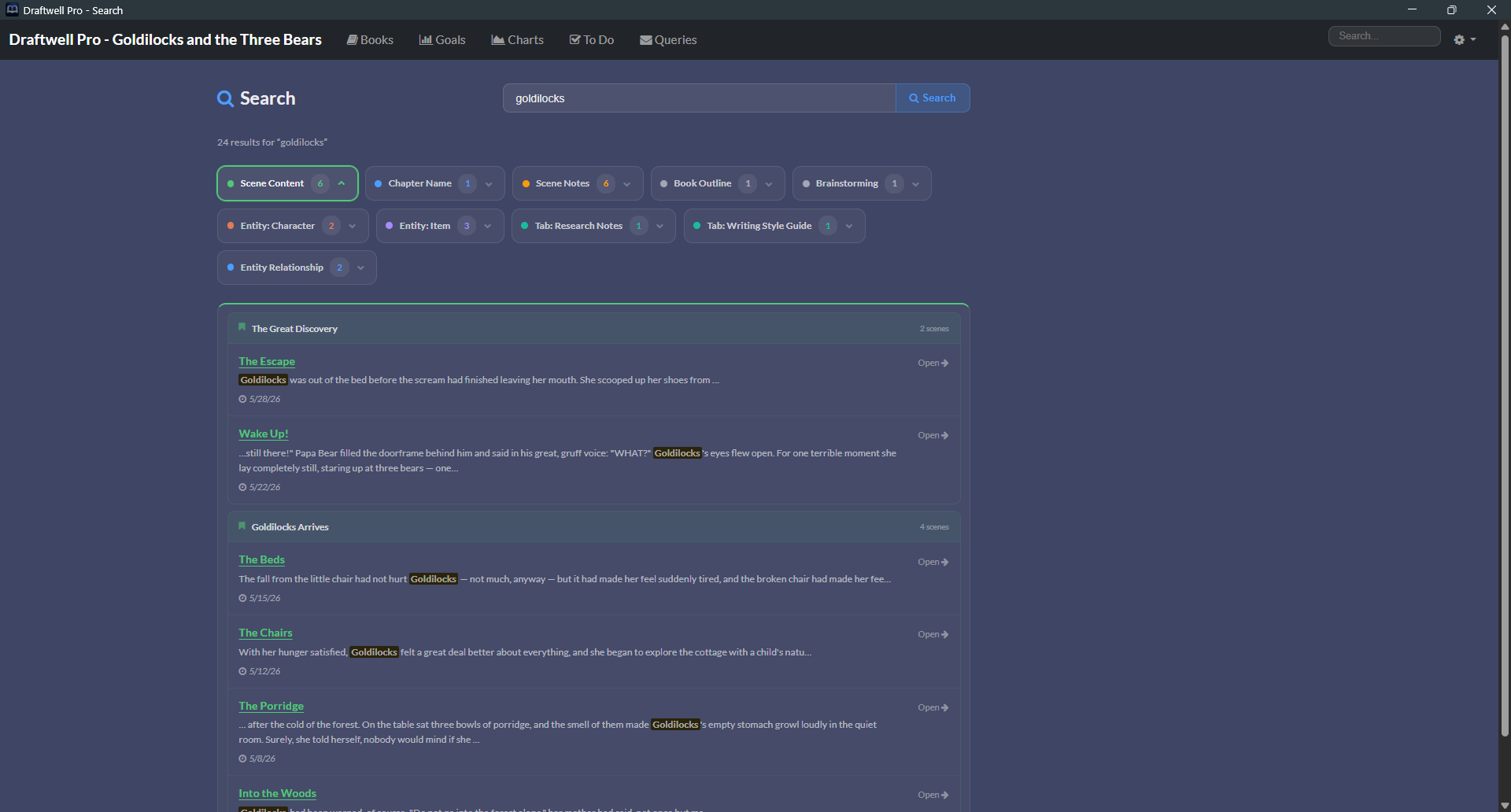
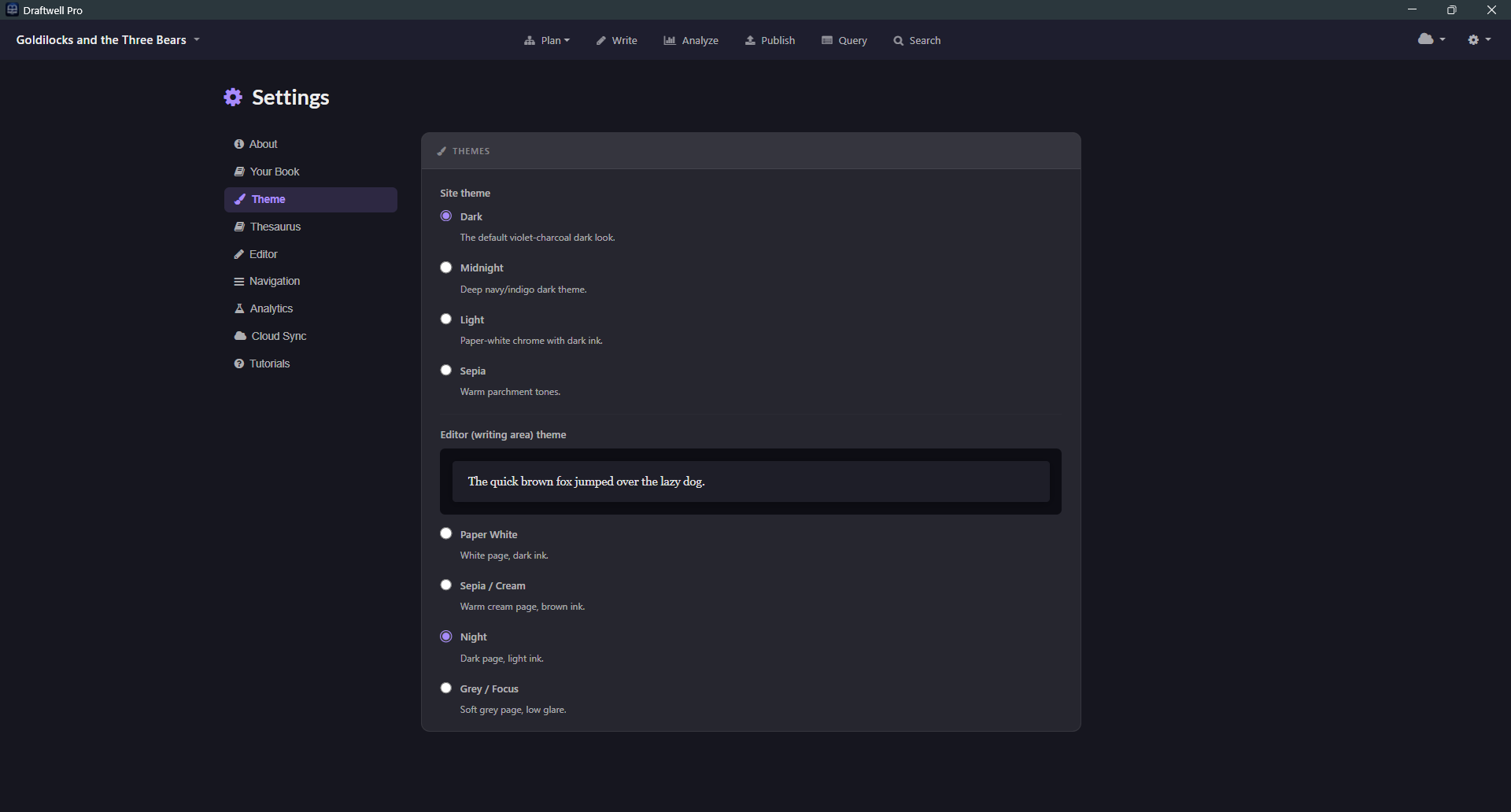
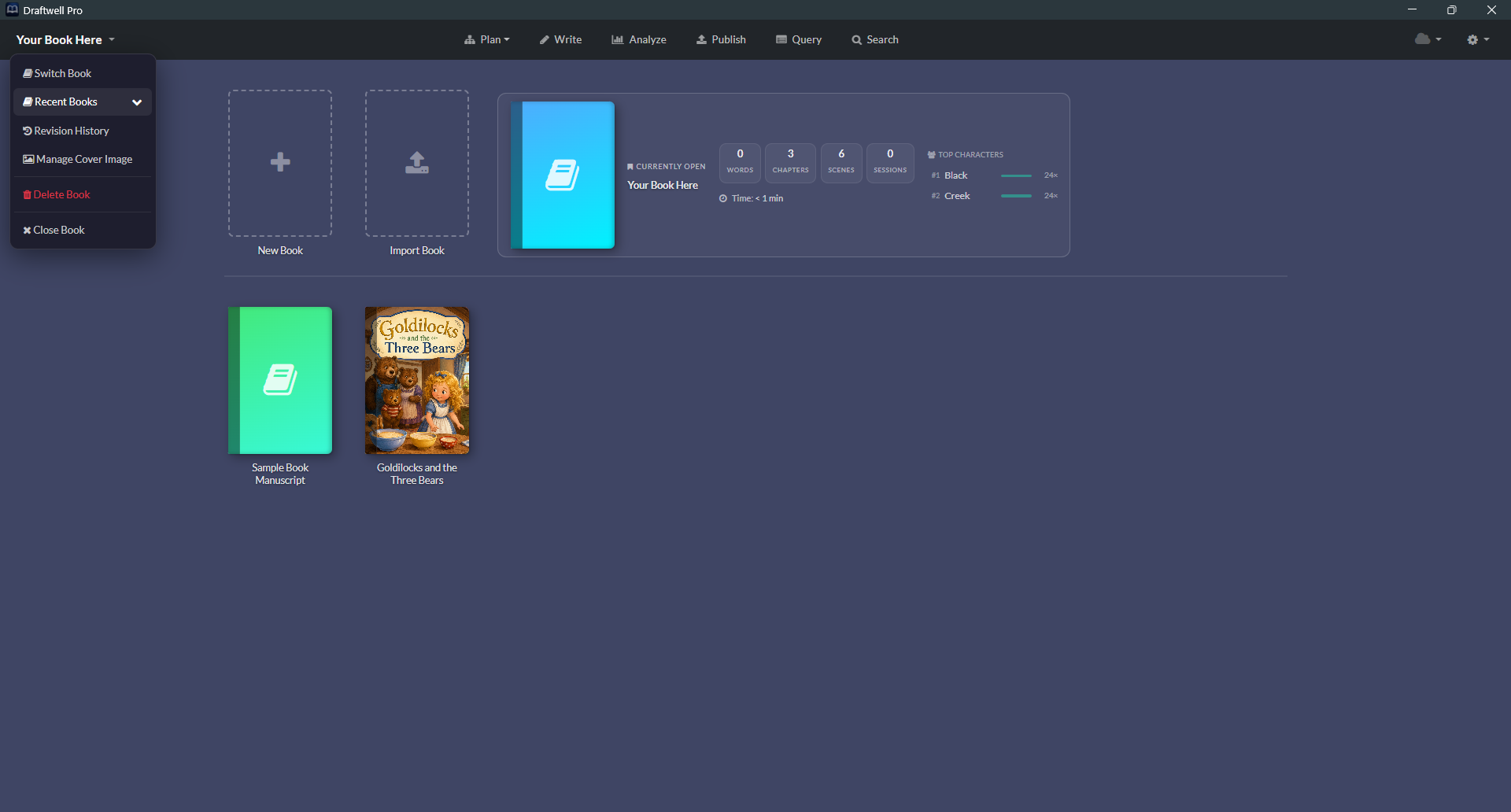
Book selection screen Draftwell Pro writing environment Writing environment with entity panel open

Already have a draft?
Bring it in. Then map it out.

Starting a new book from scratch isn't the only path in. Import an existing manuscript, then plan the rest on a visual board built for rearranging chapters and scenes.

Bring in a Word document.
Keep your structure.

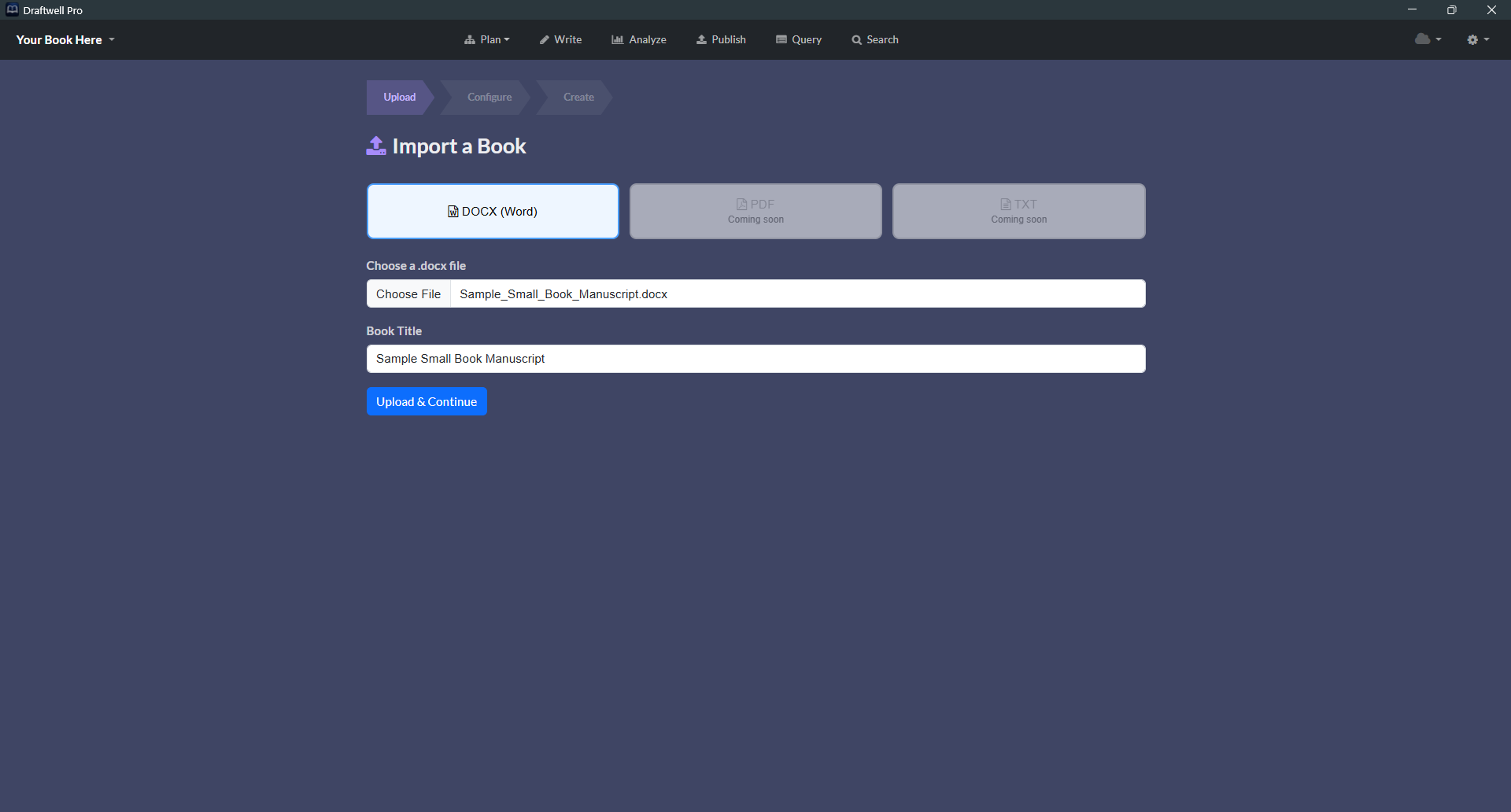
Select an existing .docx file and import it straight into a book. No copy-pasting scene by scene.

📄

Select a Word File

Point Draftwell Pro at any .docx manuscript you've already been writing in.

📑

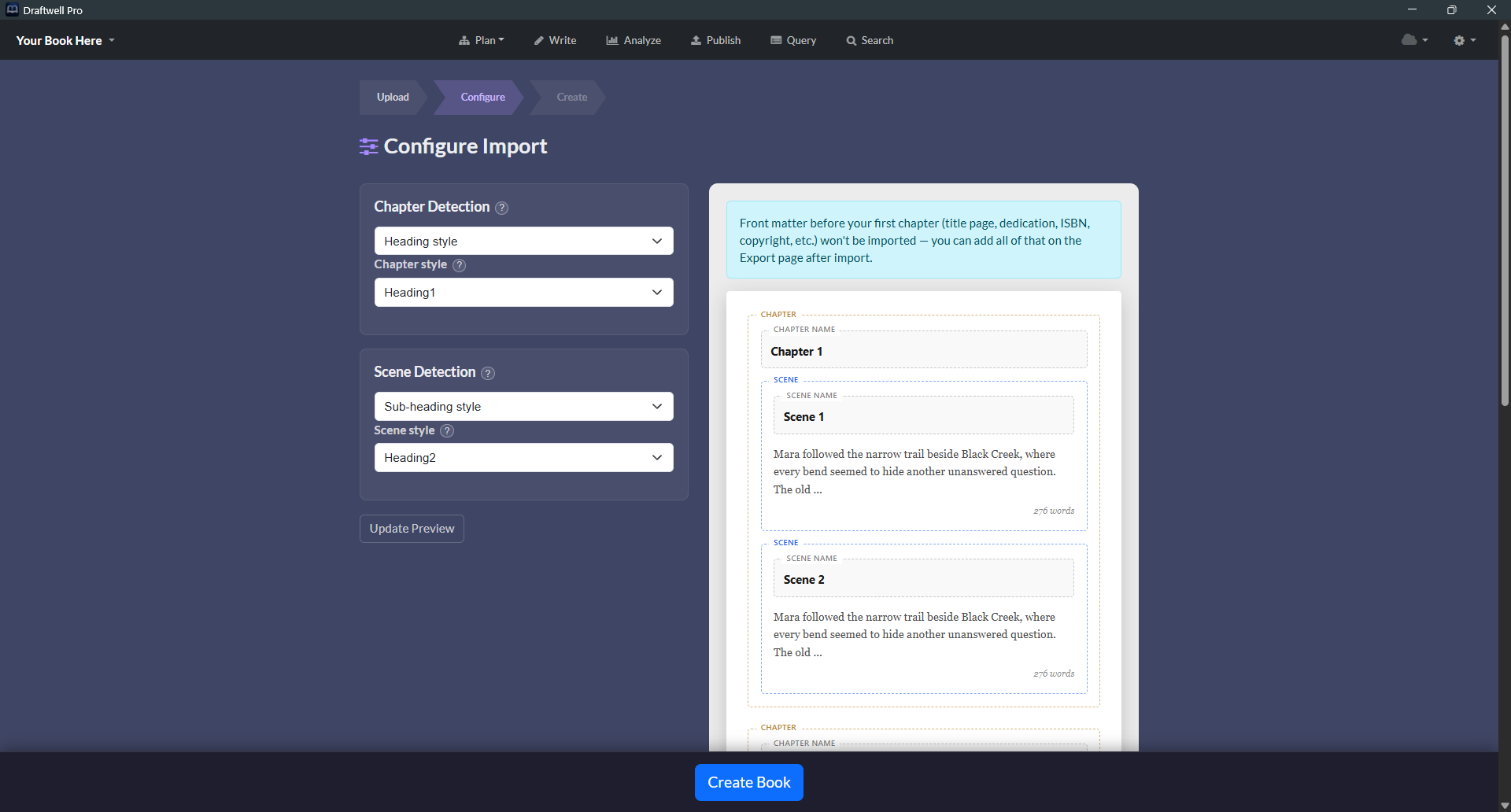
Configure Chapters & Scenes

Choose how the document's headings and breaks map to chapters and scenes before anything is imported.

One Import, Full Structure

Confirm the mapping and Draftwell Pro builds out the full Book → Chapter → Scene hierarchy for you.

Outline mode — chapter and scene planning board

Plan the whole book
on one board.

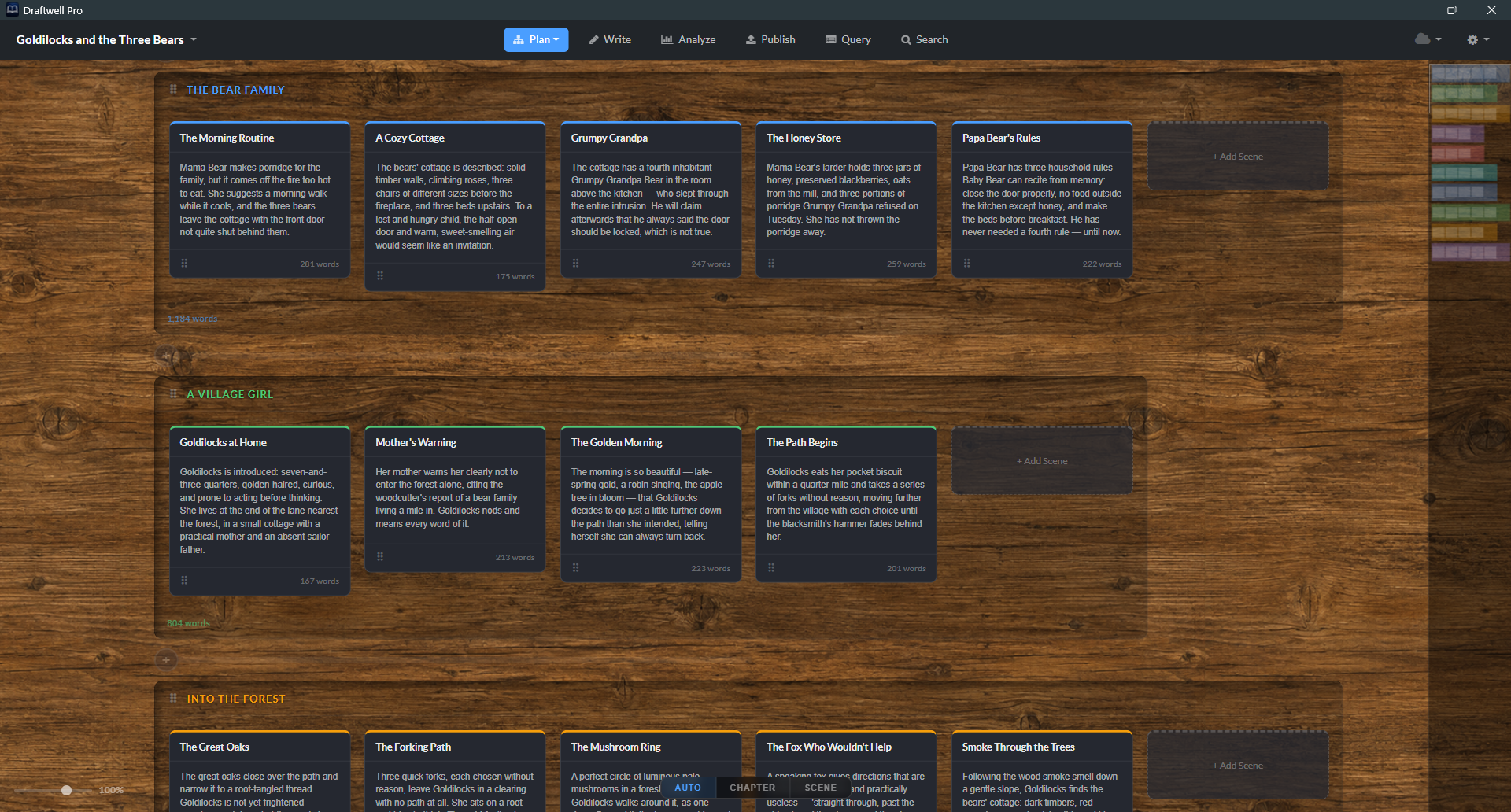
A corkboard-style planning view — lay out every chapter and scene as a card with its own synopsis, then drag to rearrange until the shape of the book is right.

📑

Chapters, Scenes & Synopses

Every scene gets a card with a short synopsis — see the whole story's shape without opening a single scene.

Drag to Rearrange

Reorder scenes within a chapter or move them across chapters entirely — the manuscript structure updates with the board.

🔍

Zoom In & Out

Zoom out for a bird's-eye view of the full book, or zoom in to focus on a single act while you plan.

Your book has data.
You should see it.

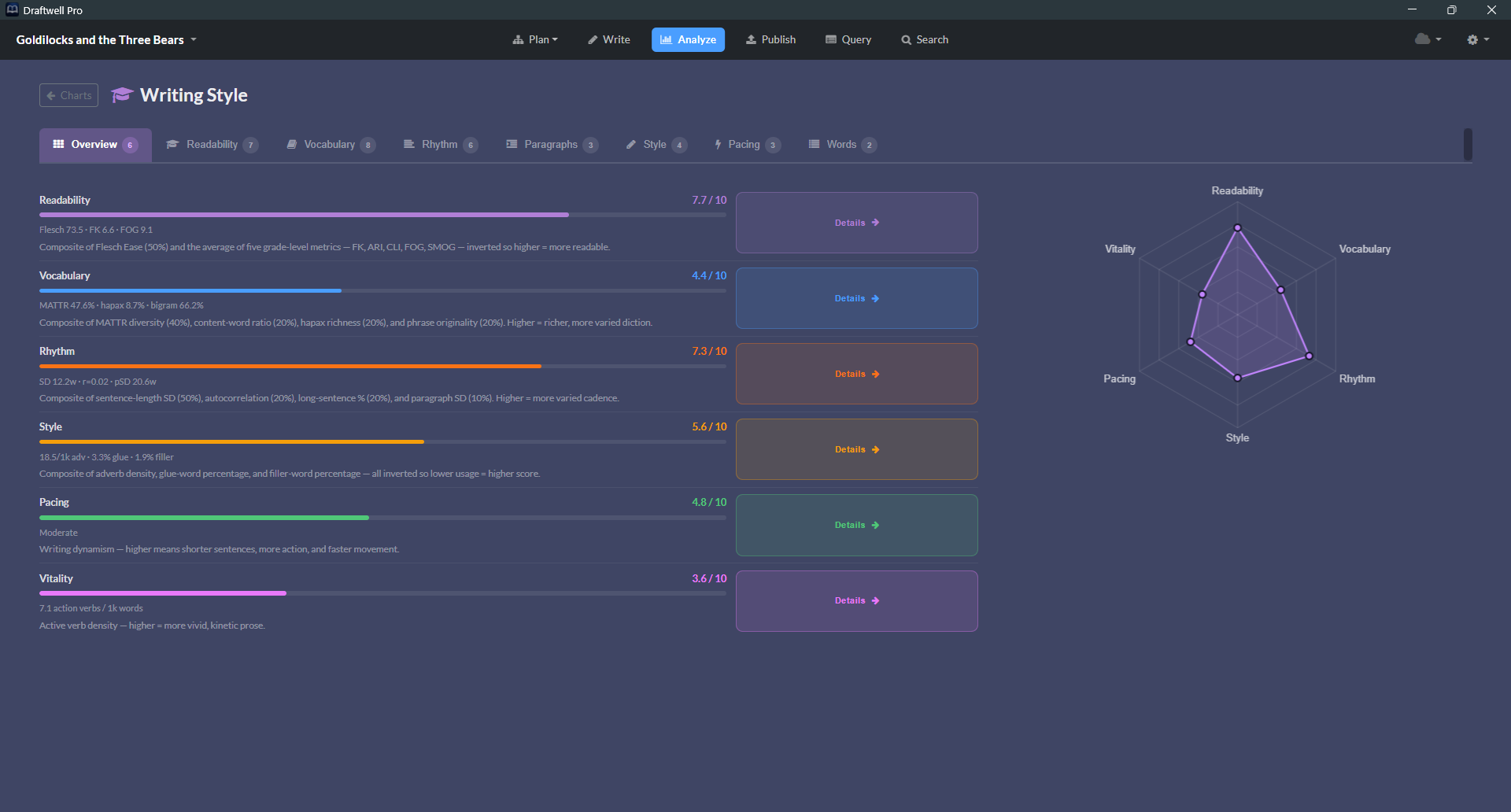
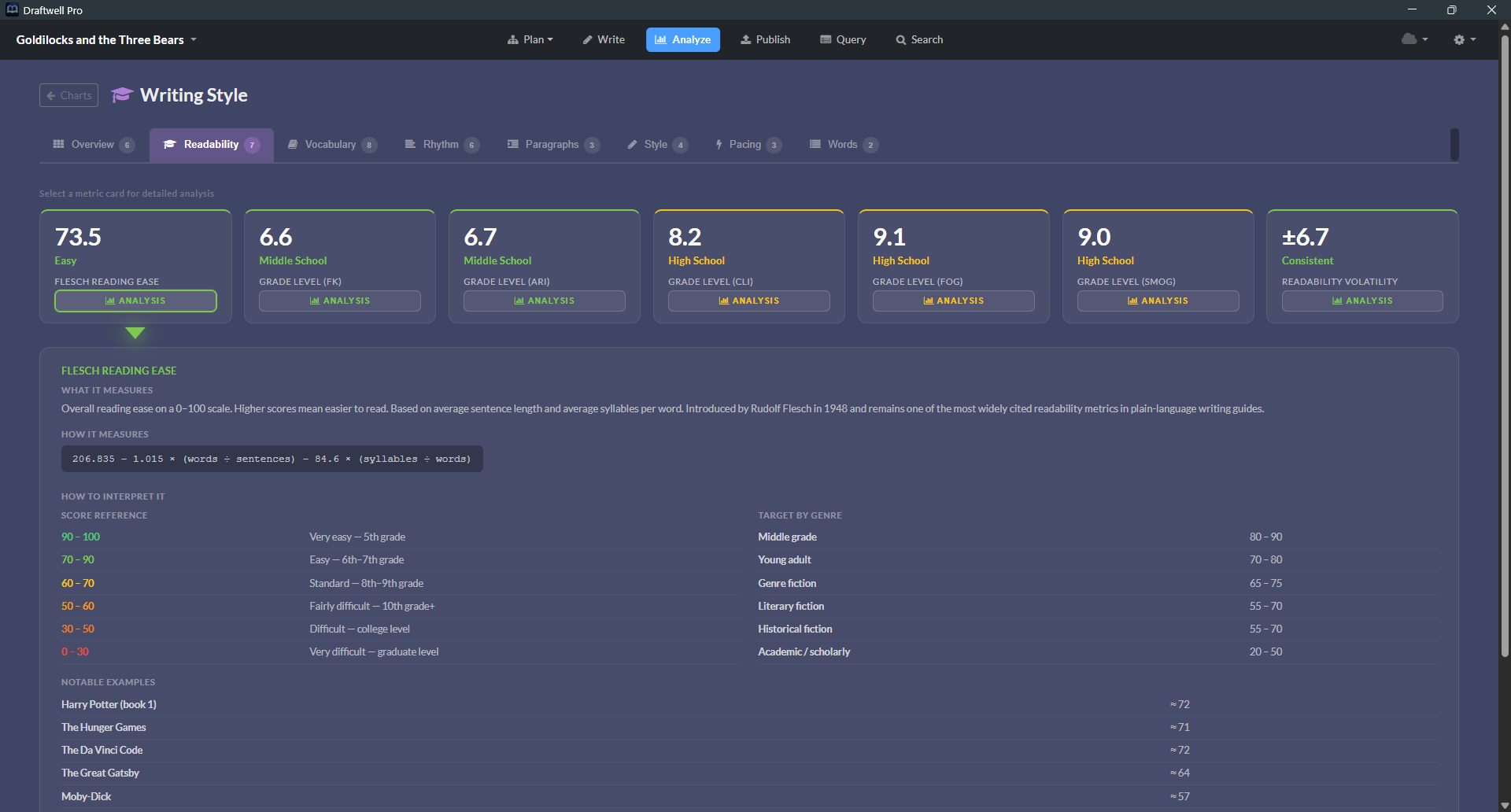
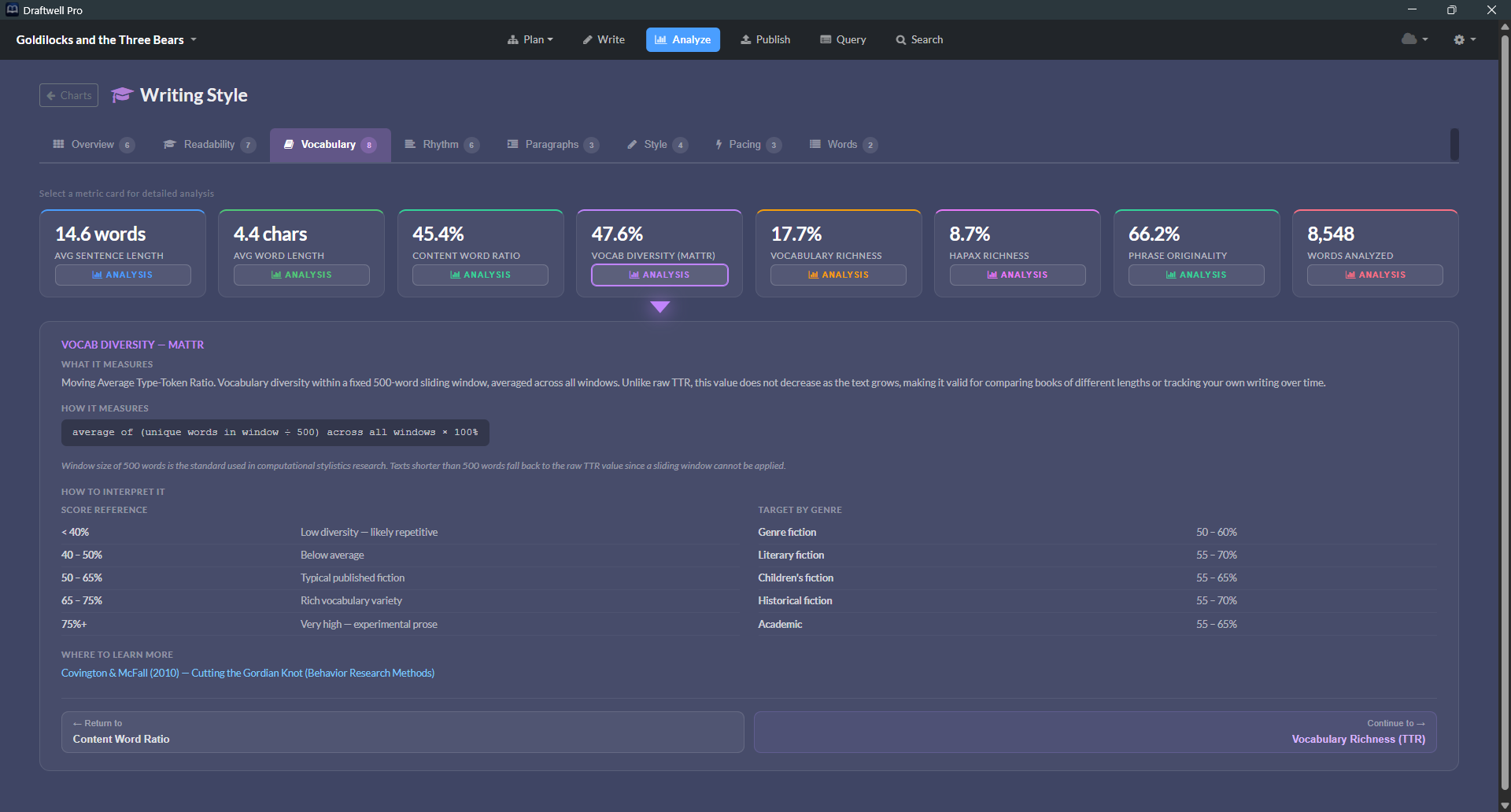
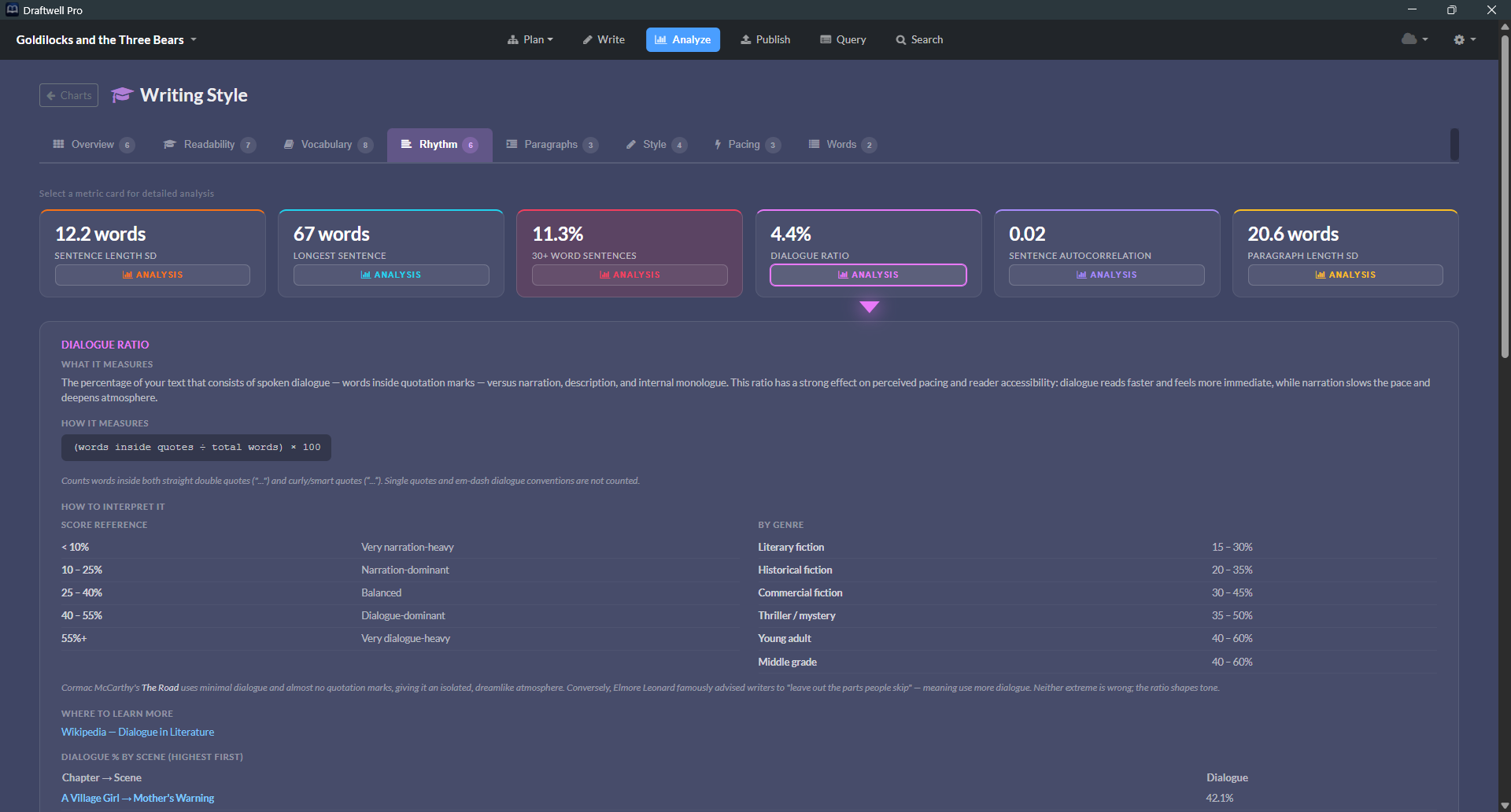
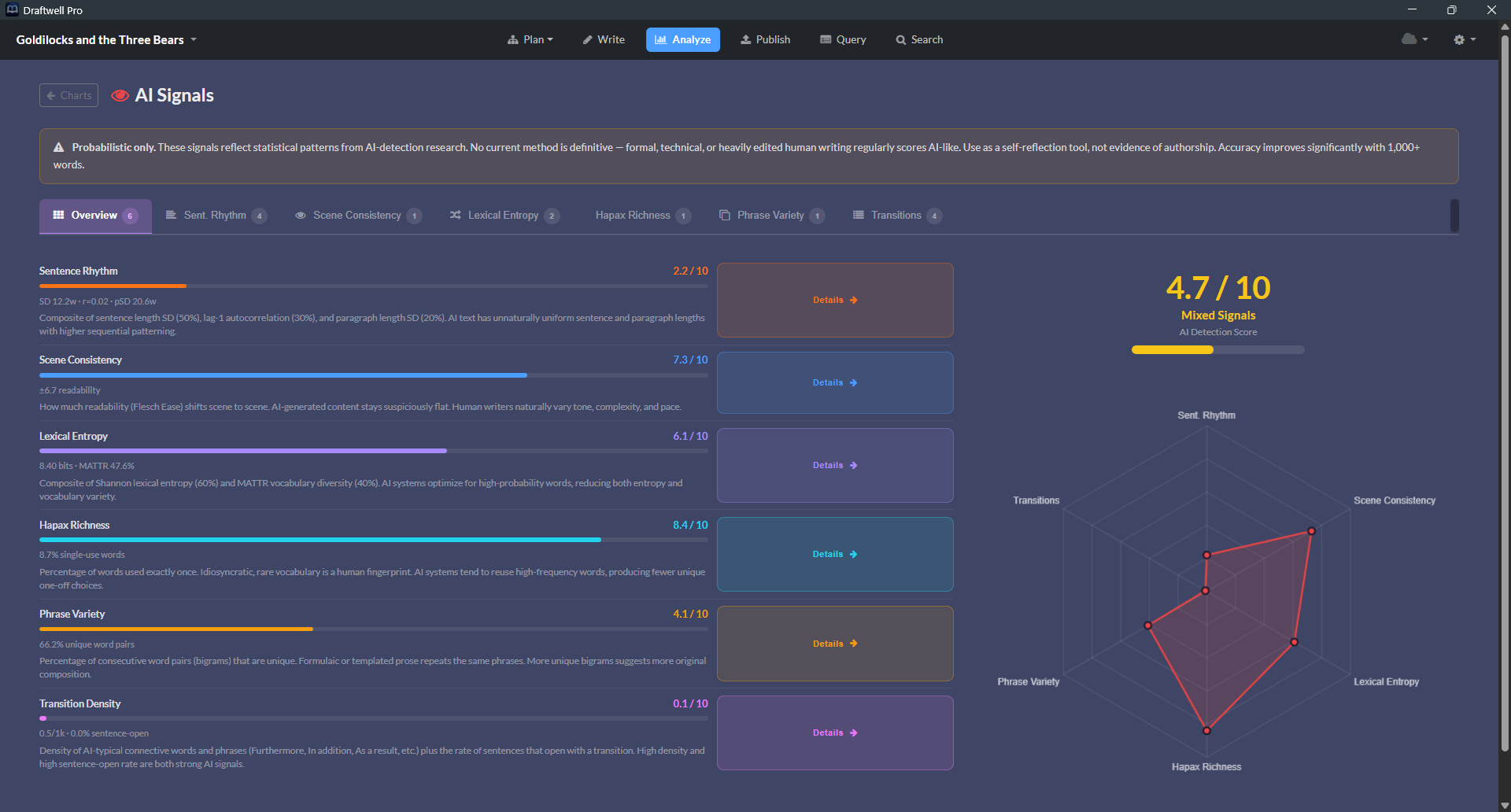
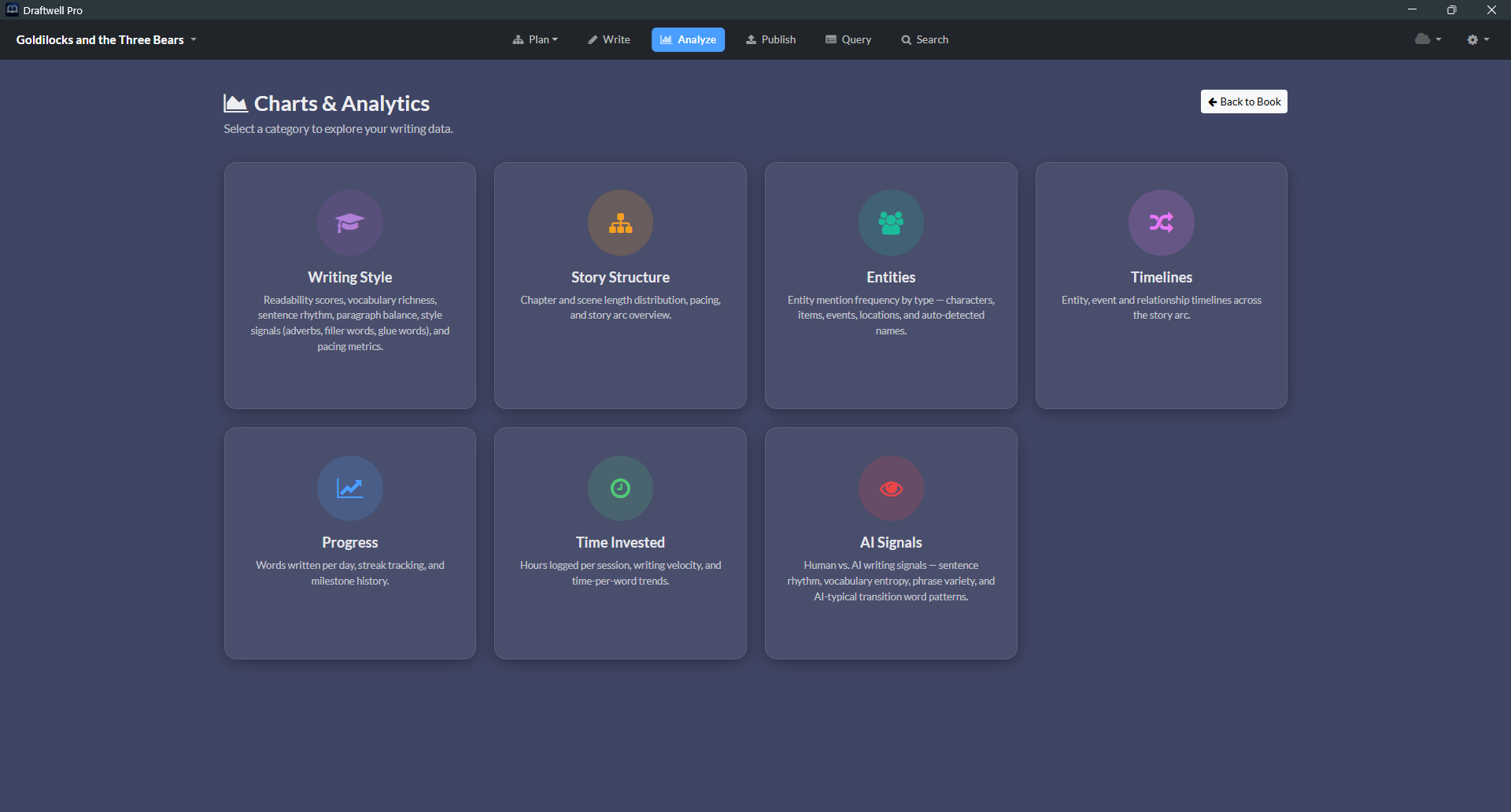
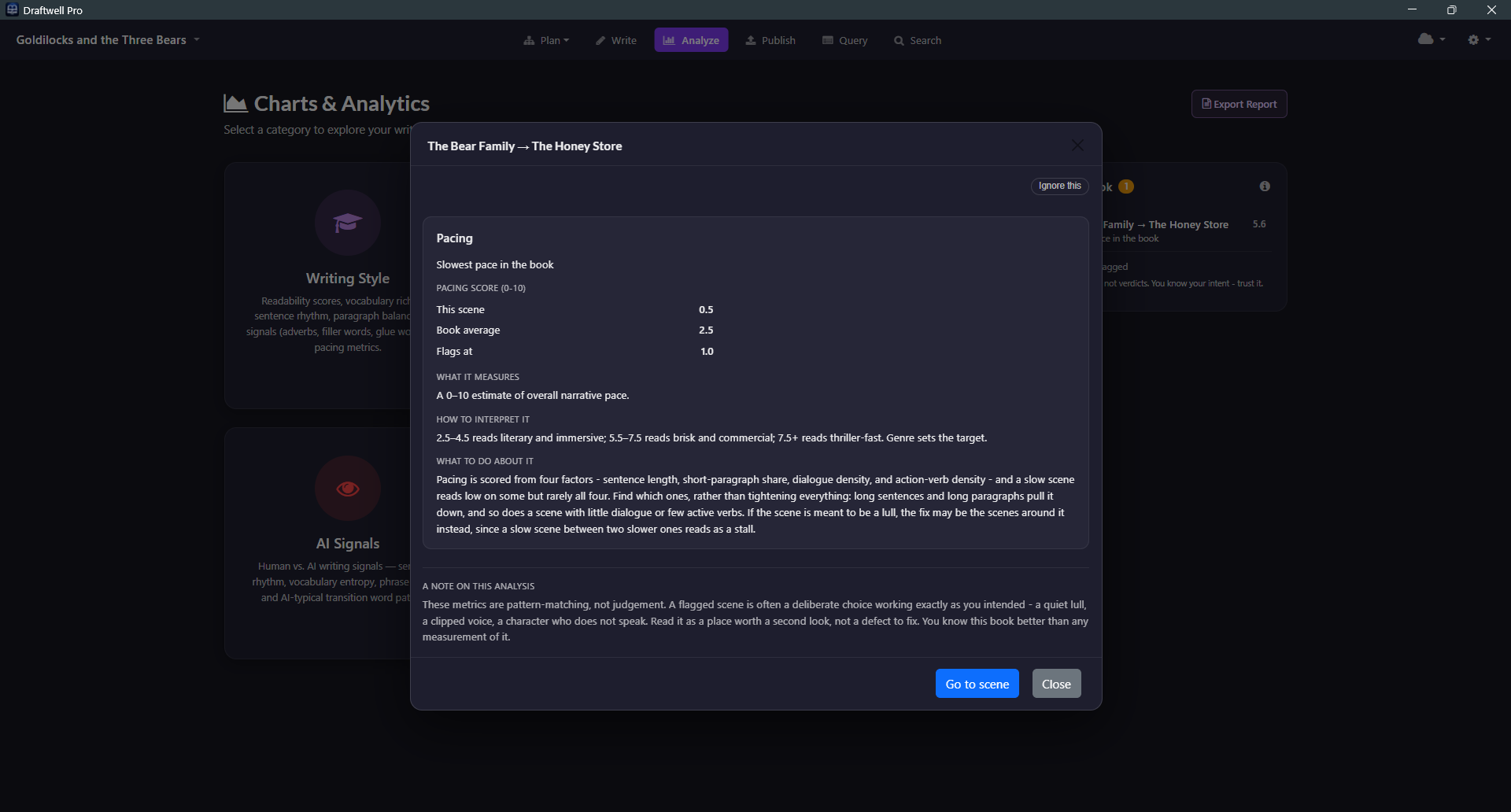
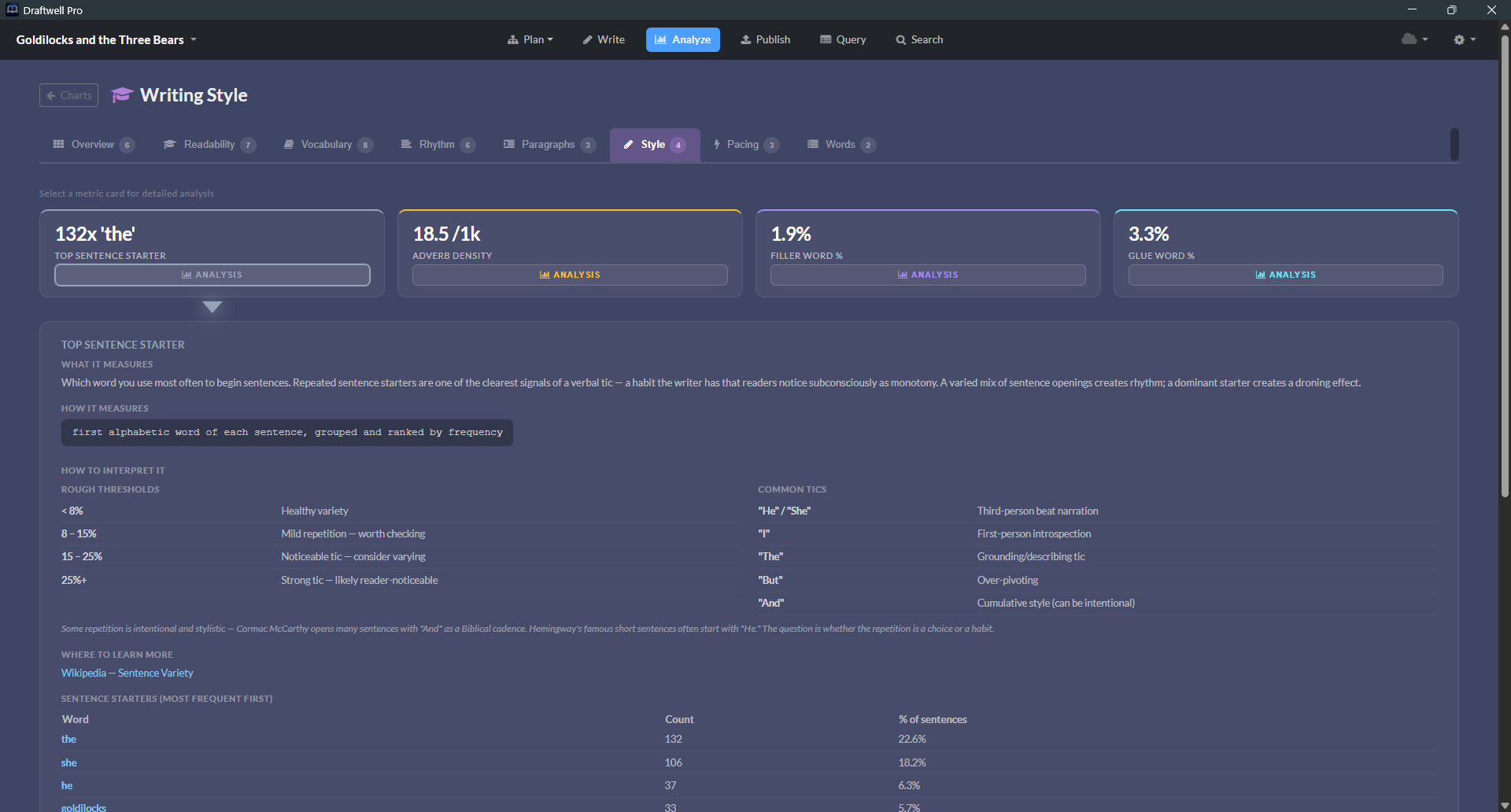
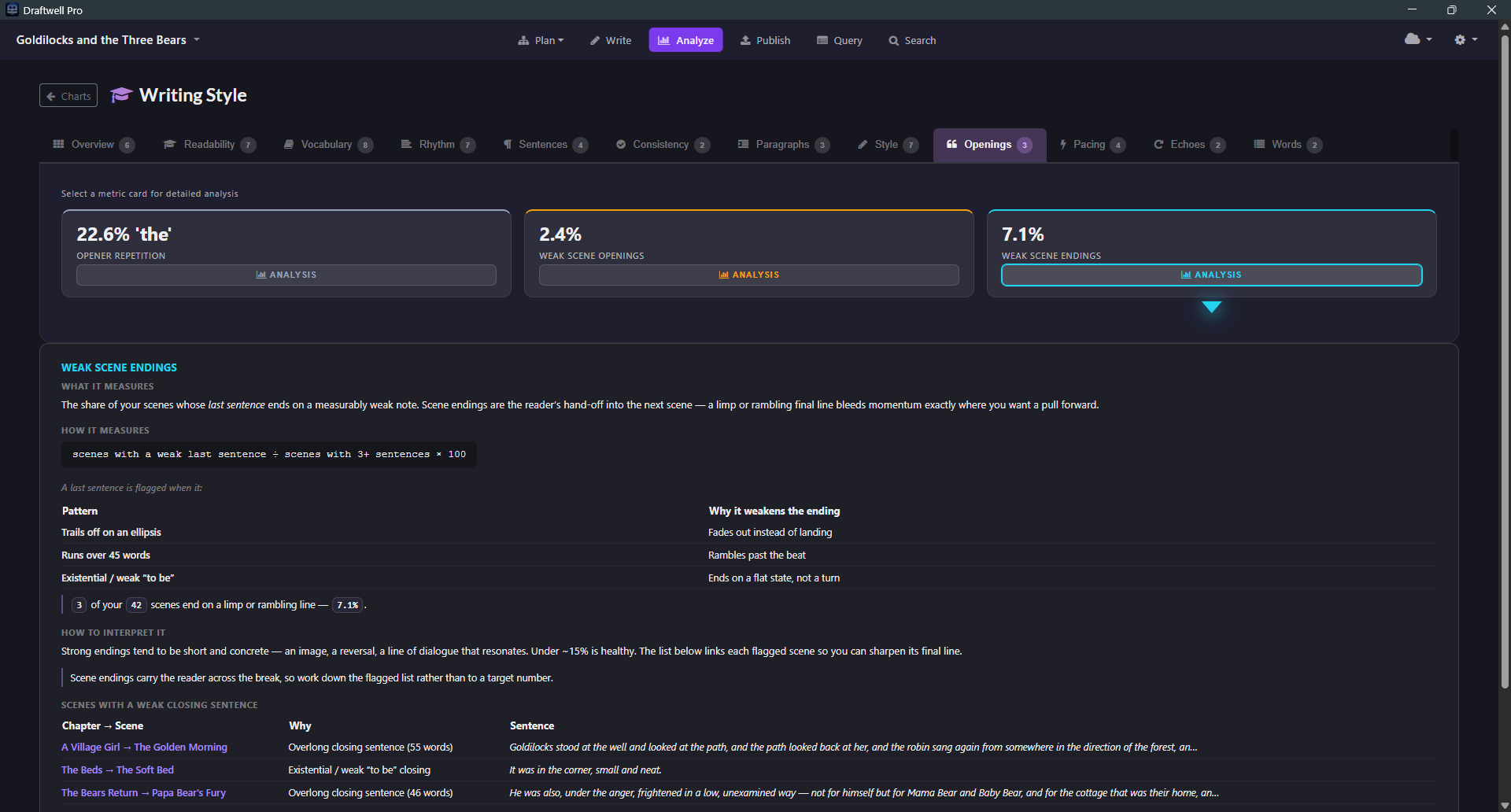
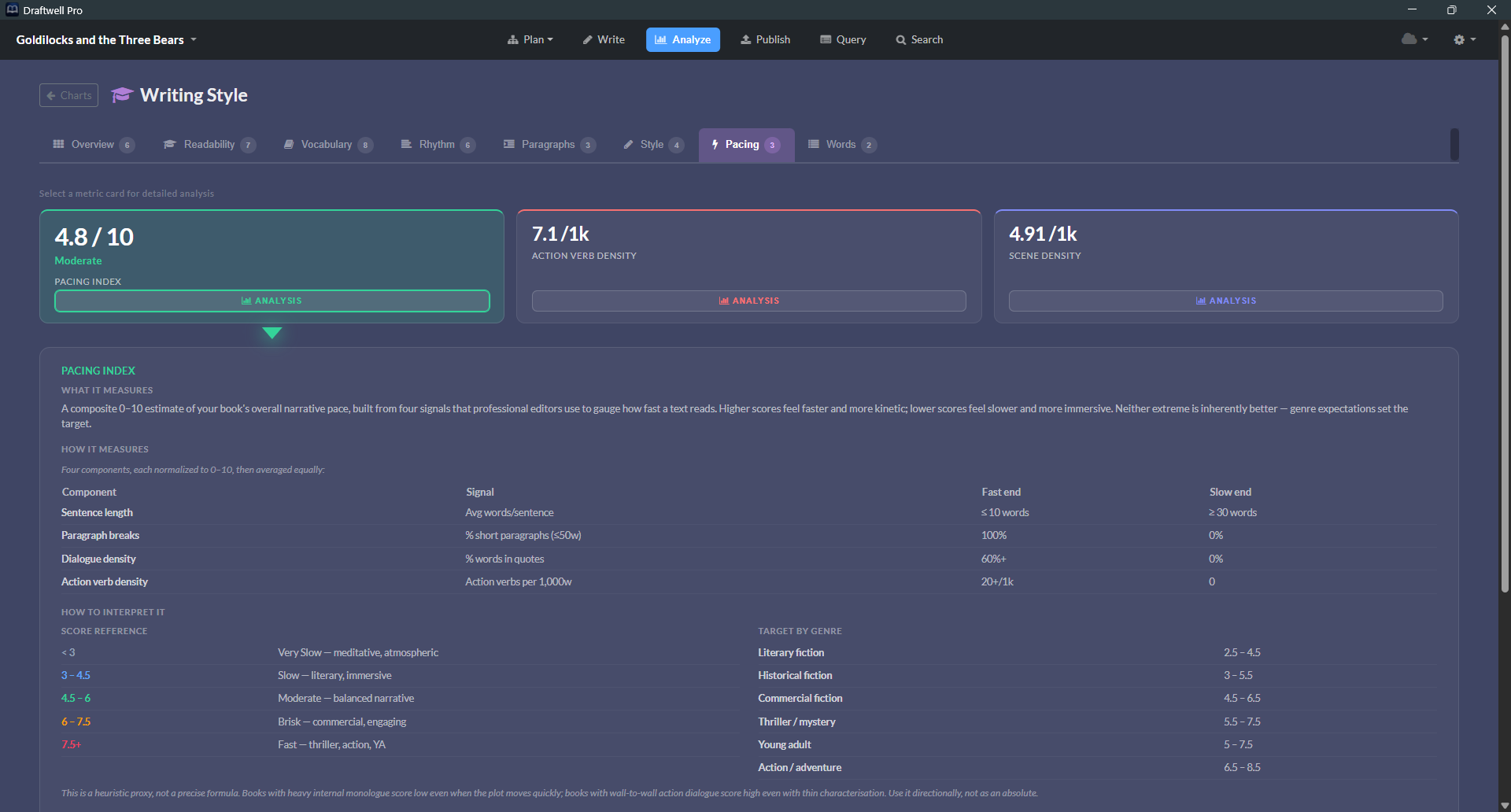
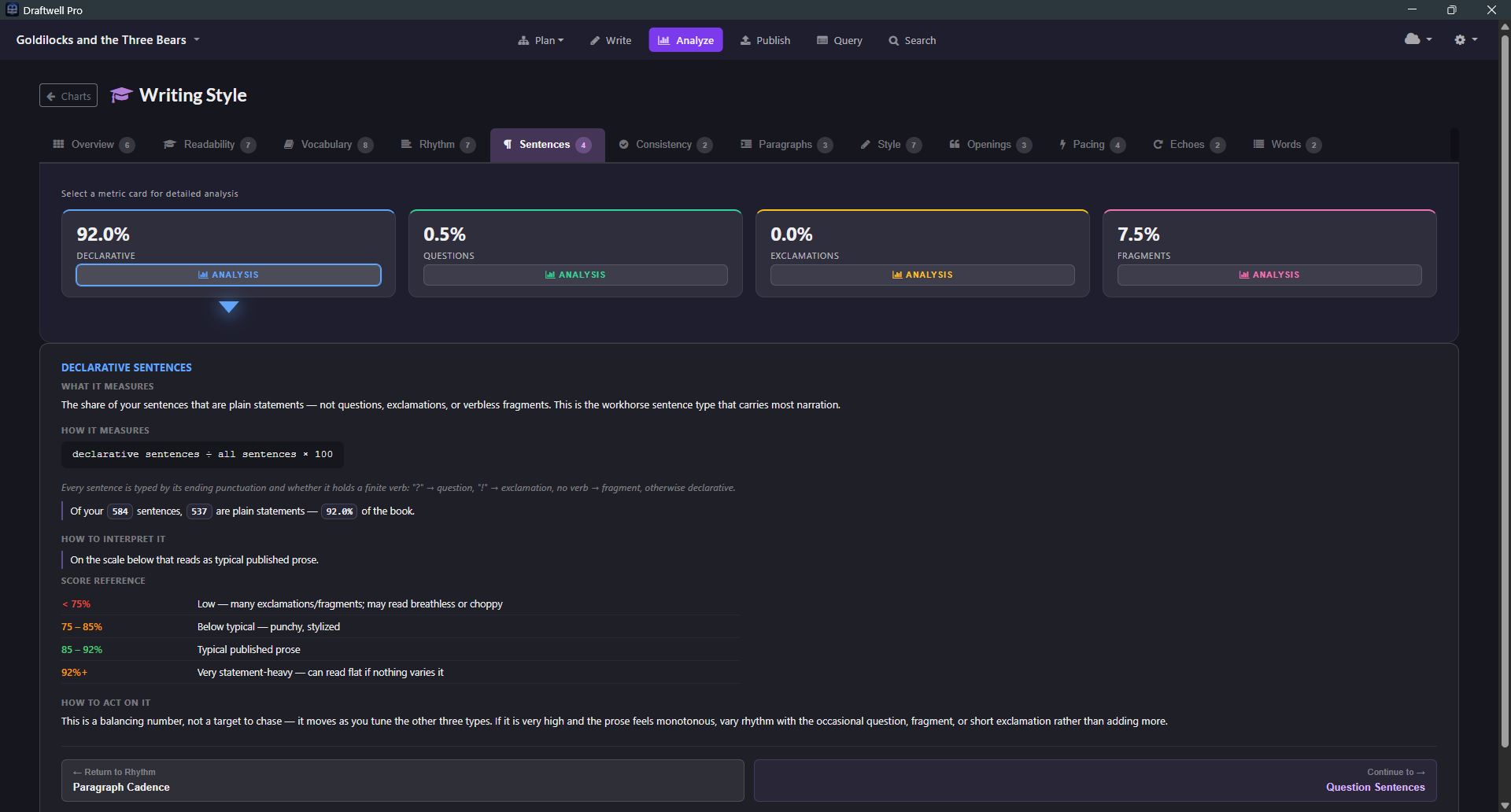
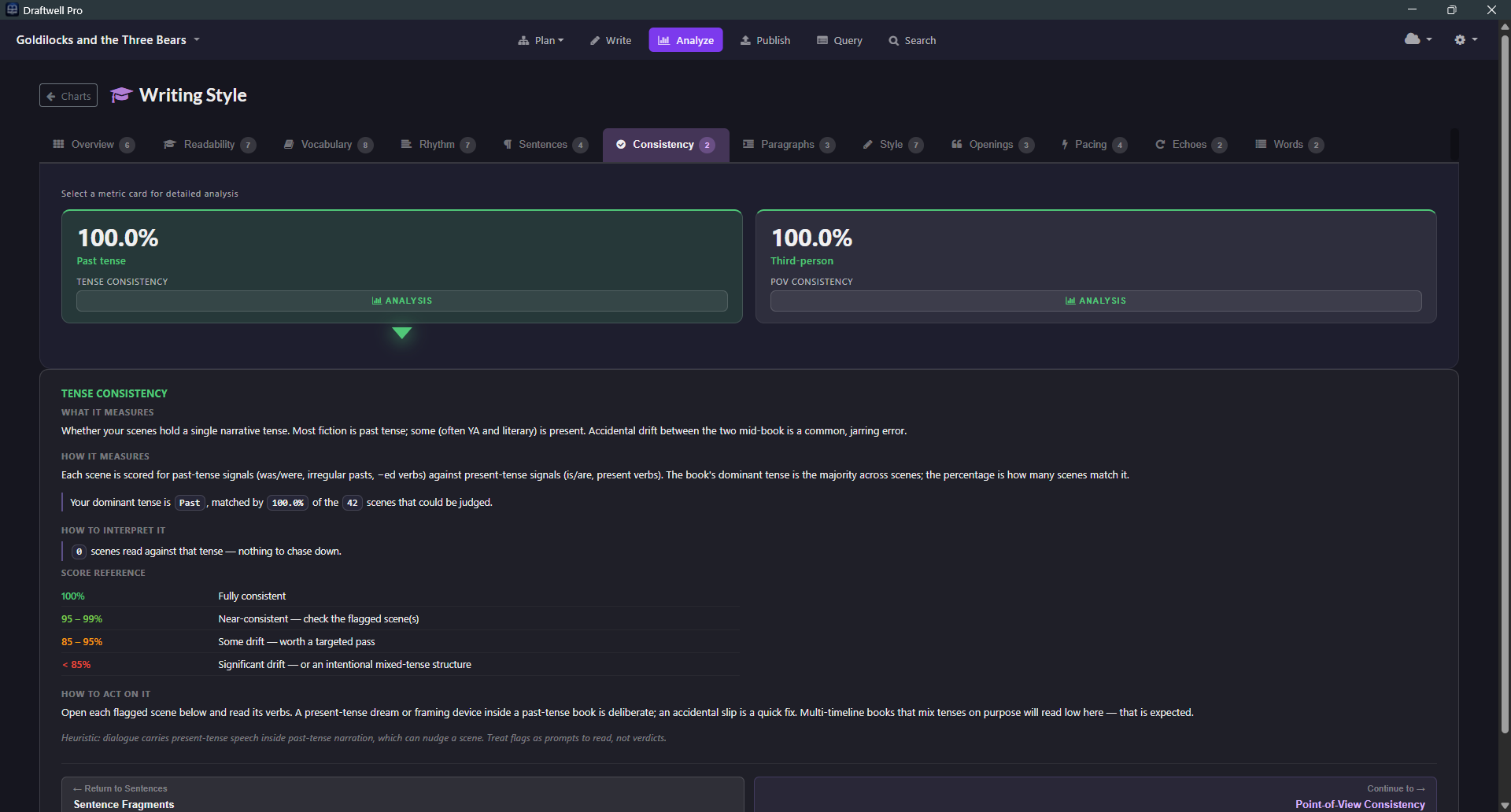
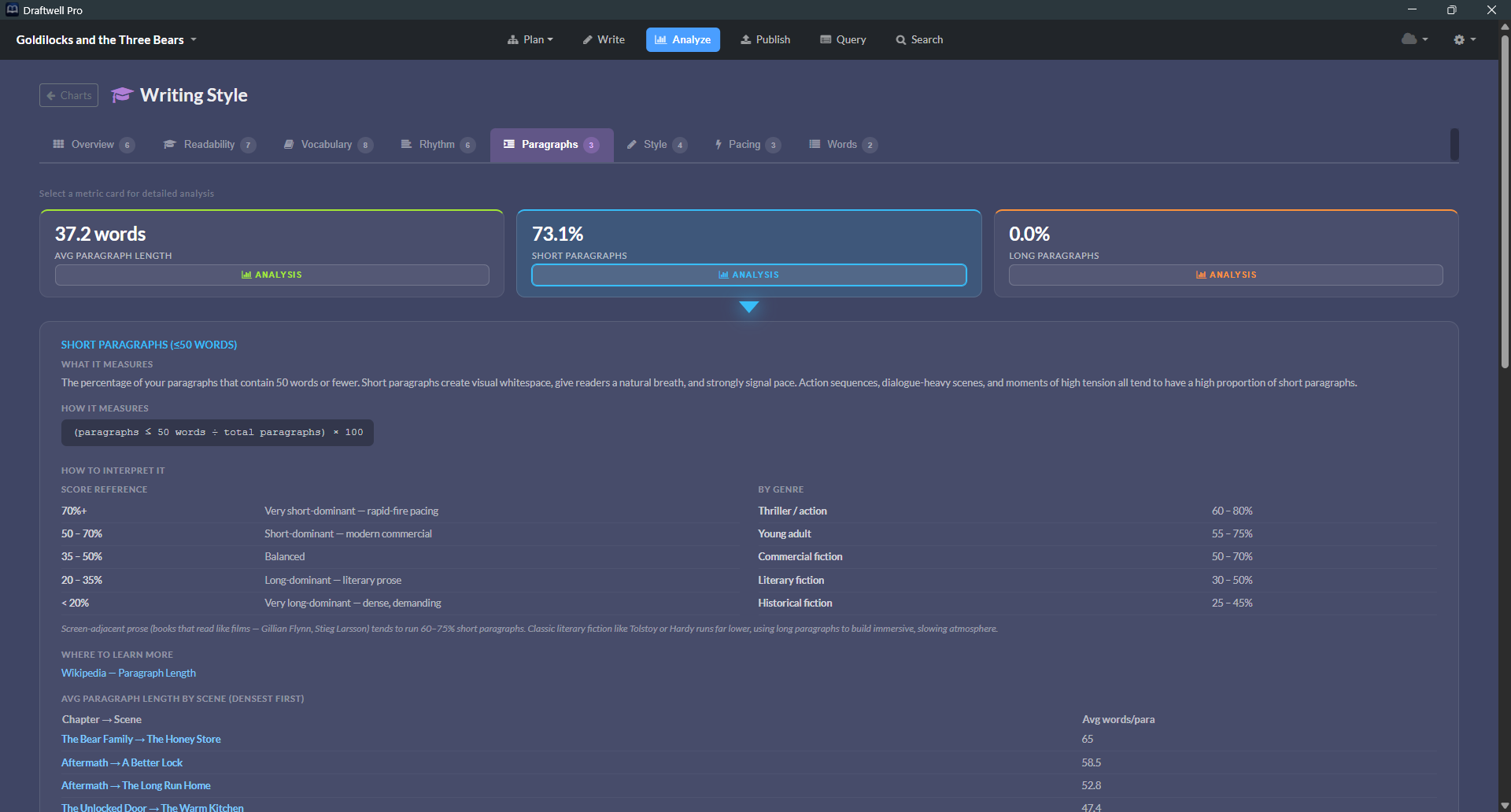
Six analytical dashboards. No guessing whether your second act is thin, your protagonist is underwritten, or your prose reads like a legal document — or like it wasn't written by you at all.

📄 View a Sample Analysis (PDF) →

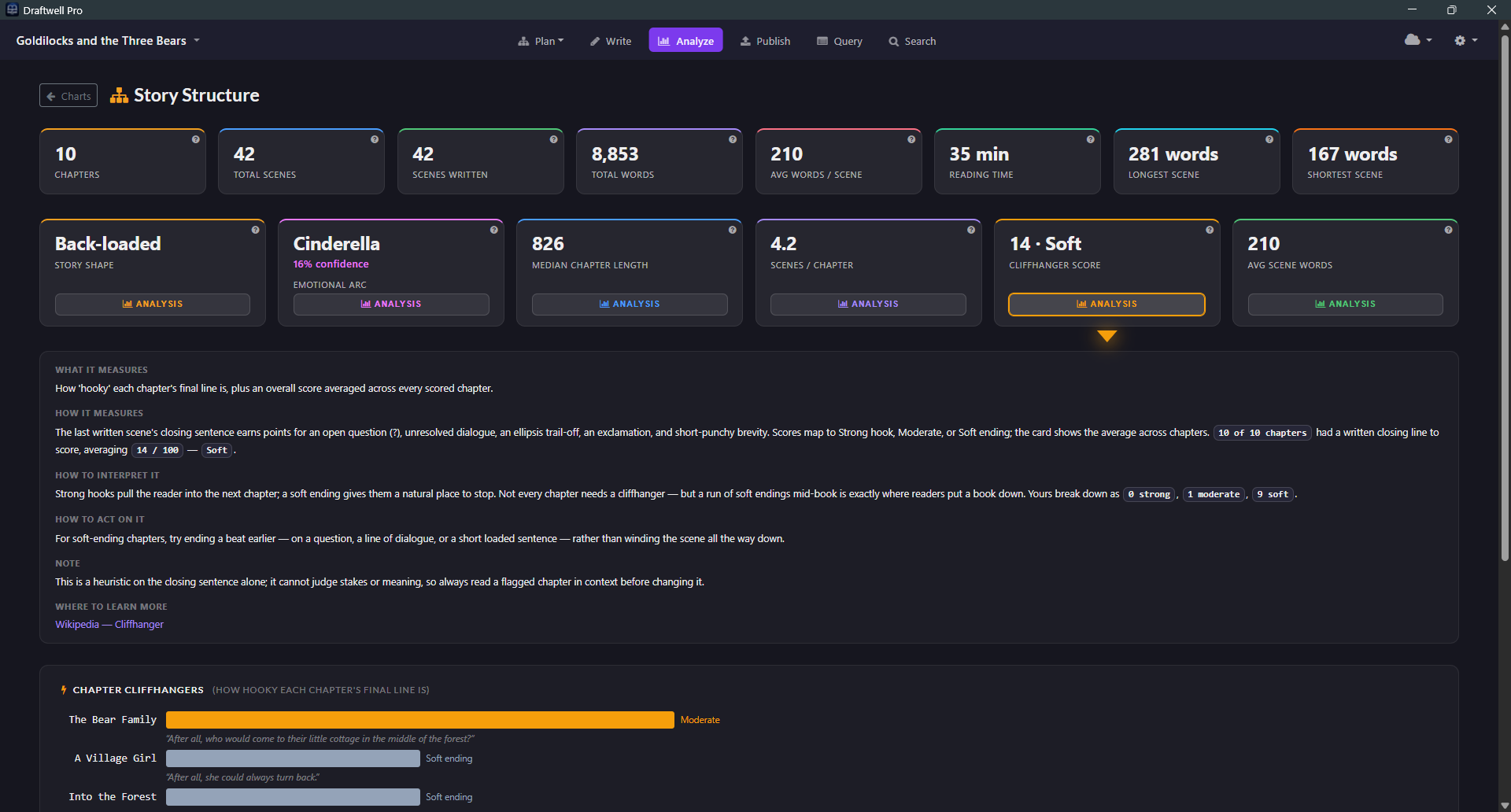
Readability Vocabulary Rhythm Style Pacing Vitality

Six industry metrics on one screen. See where your prose excels and where it needs work — at a glance.

Readability
78
Vocabulary
62
Rhythm
84
Style
71
Pacing
Brisk
Vitality
69

Includes: Flesch, Flesch-Kincaid, ARI, Coleman-Liau, Gunning Fog, SMOG, MATTR, Dialogue Ratio, Pacing Index, Adverb Density, Filler Word %, and more.

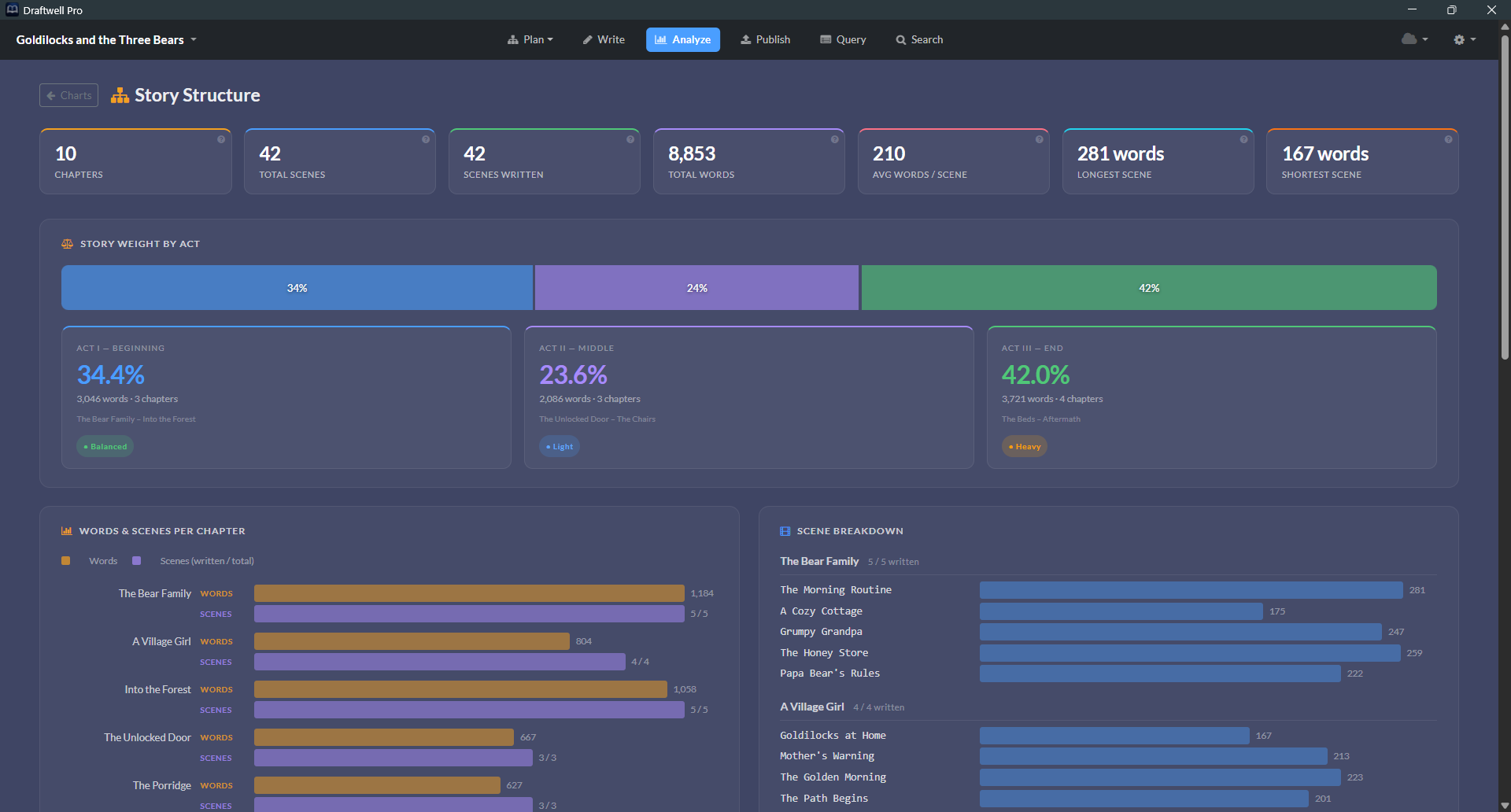
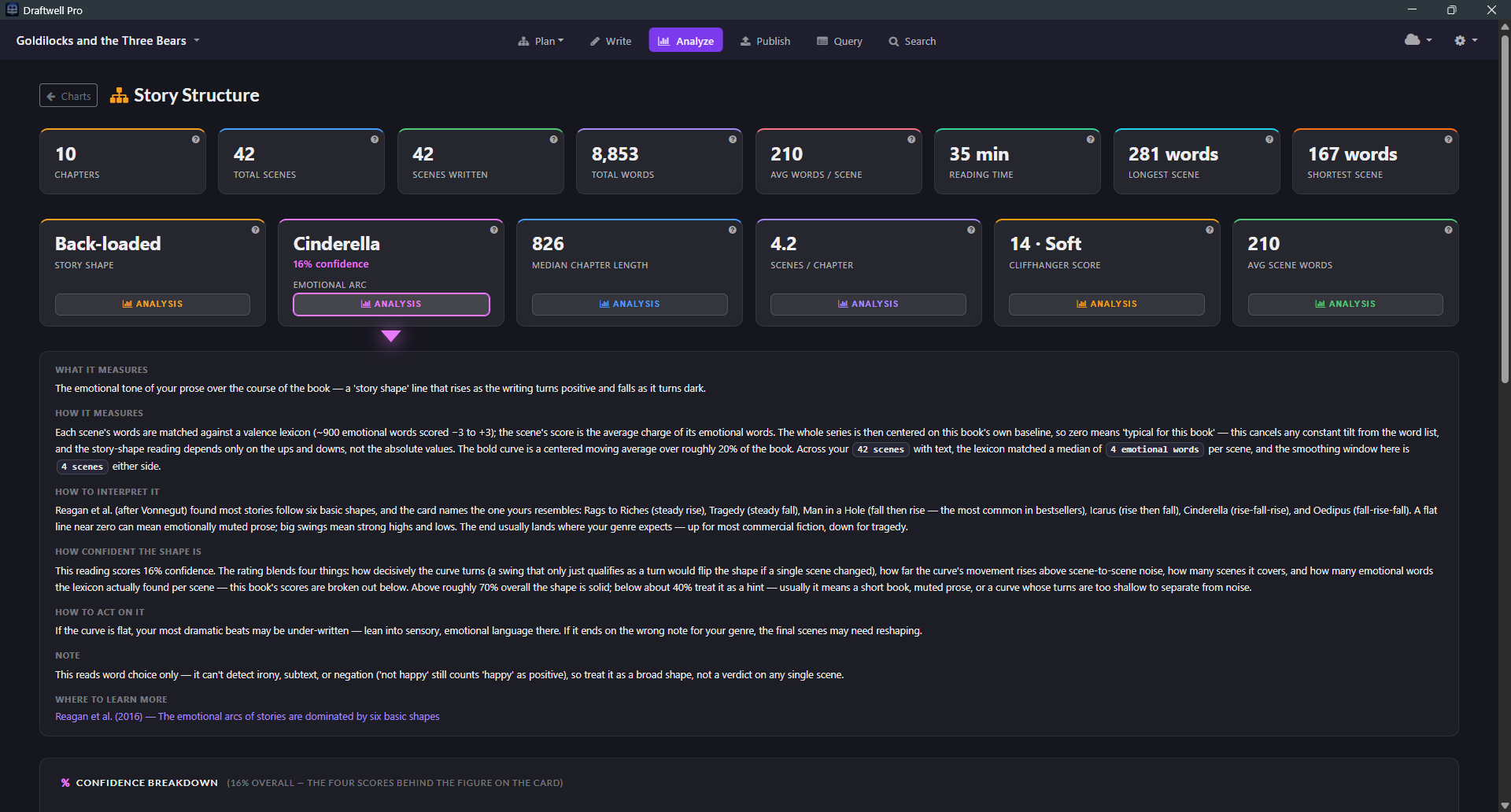
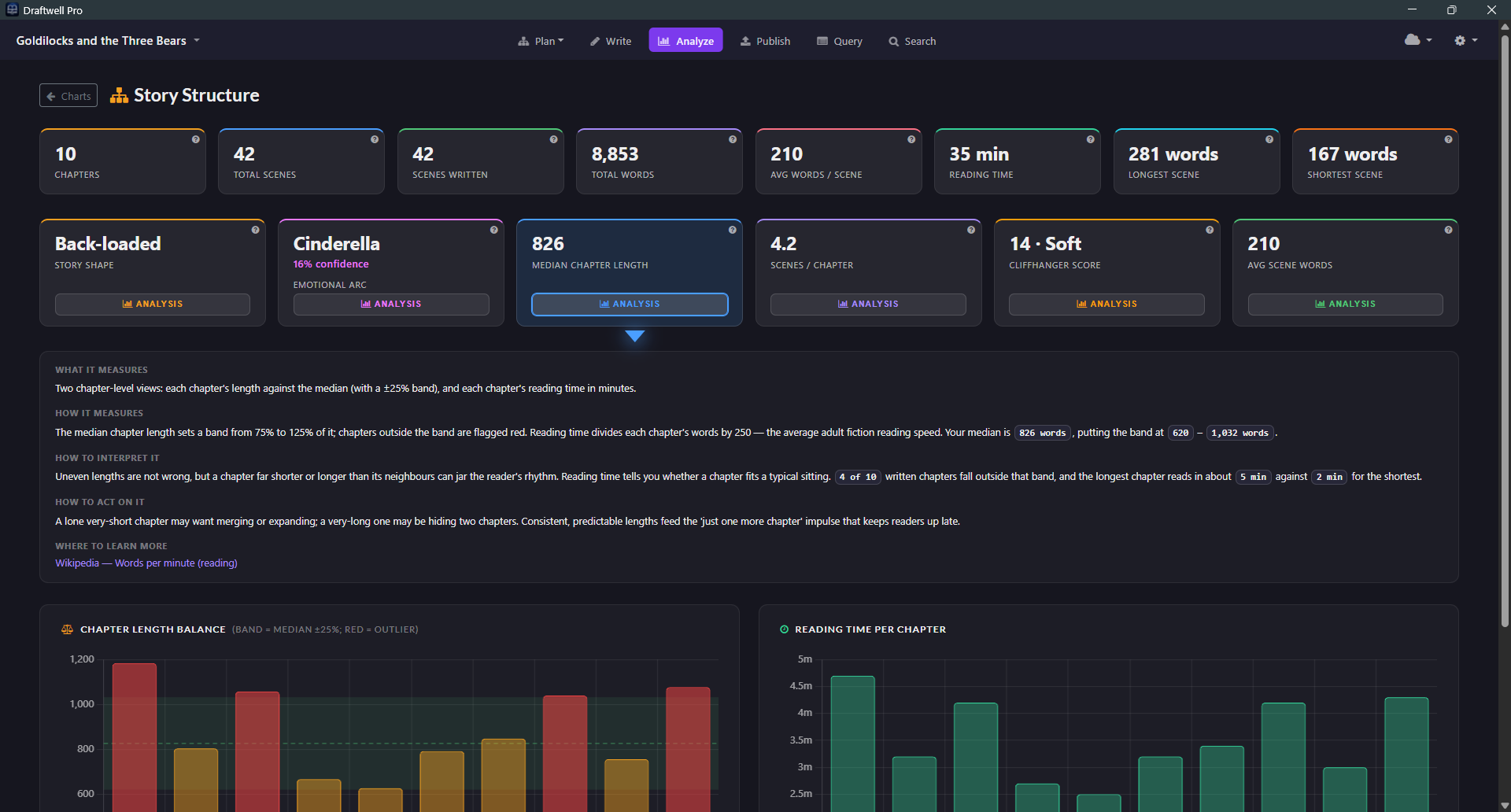
Words per Chapter
Act weight distribution  ·  Act 1   Act 2   Act 3

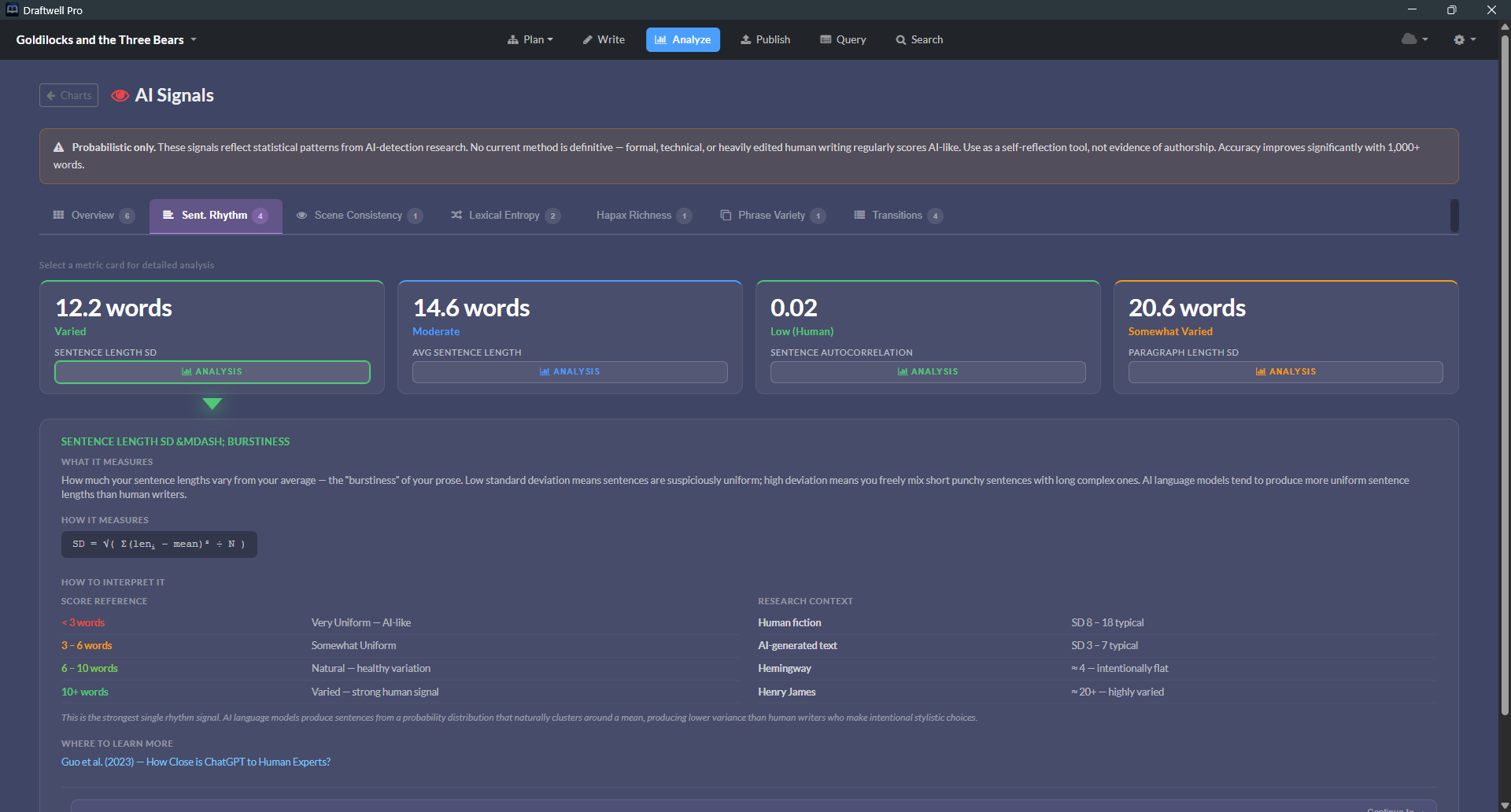
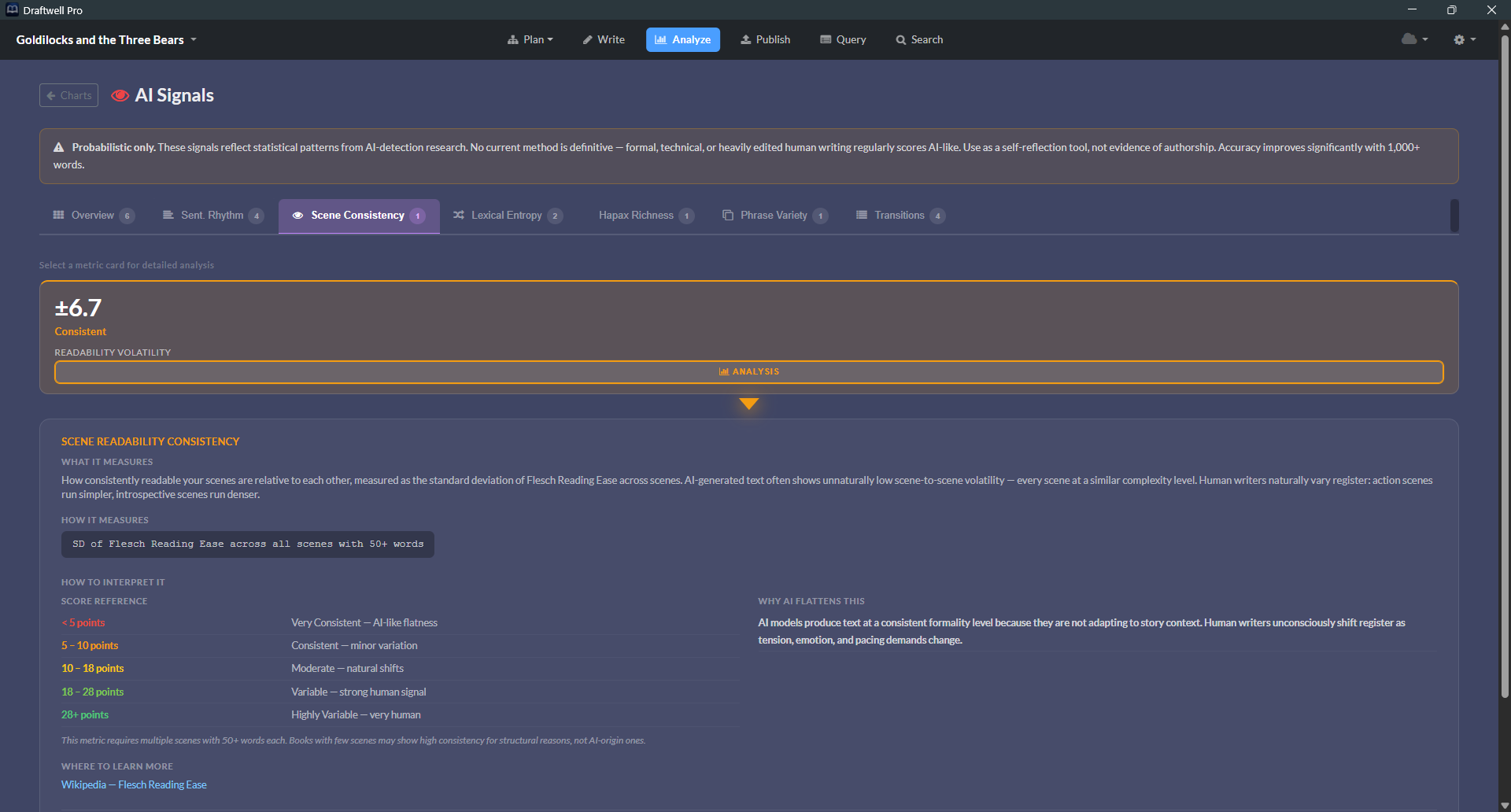
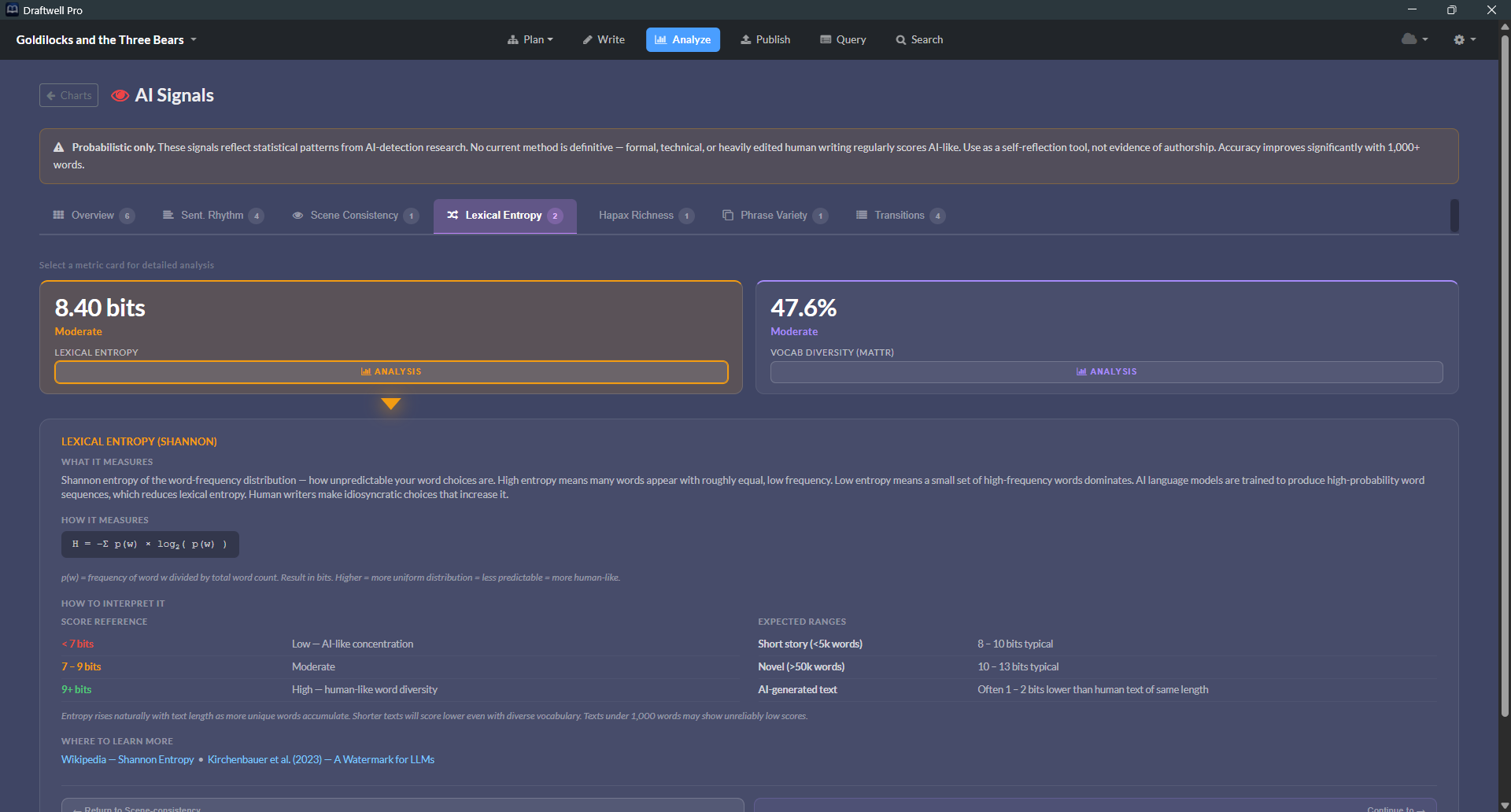
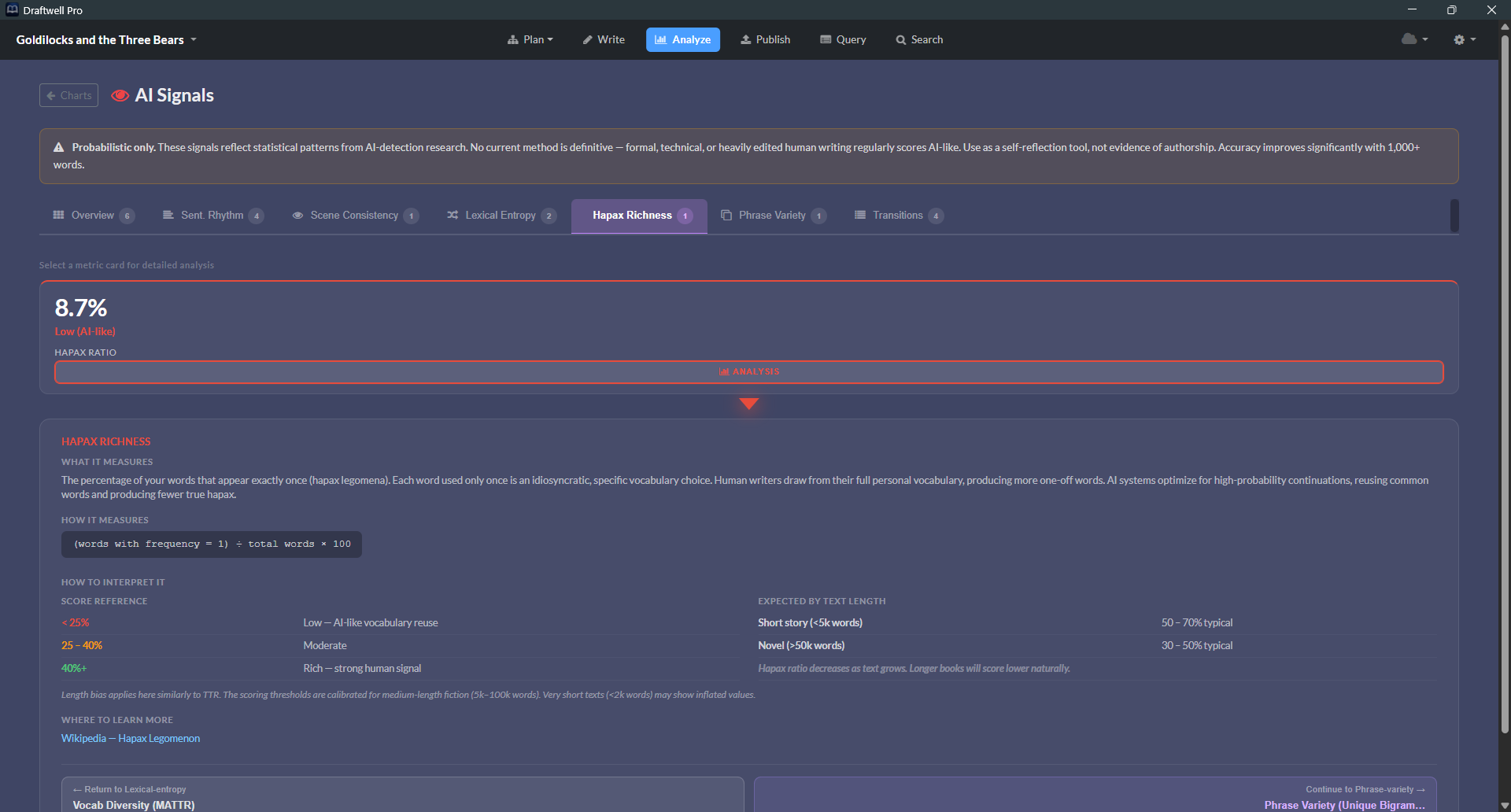
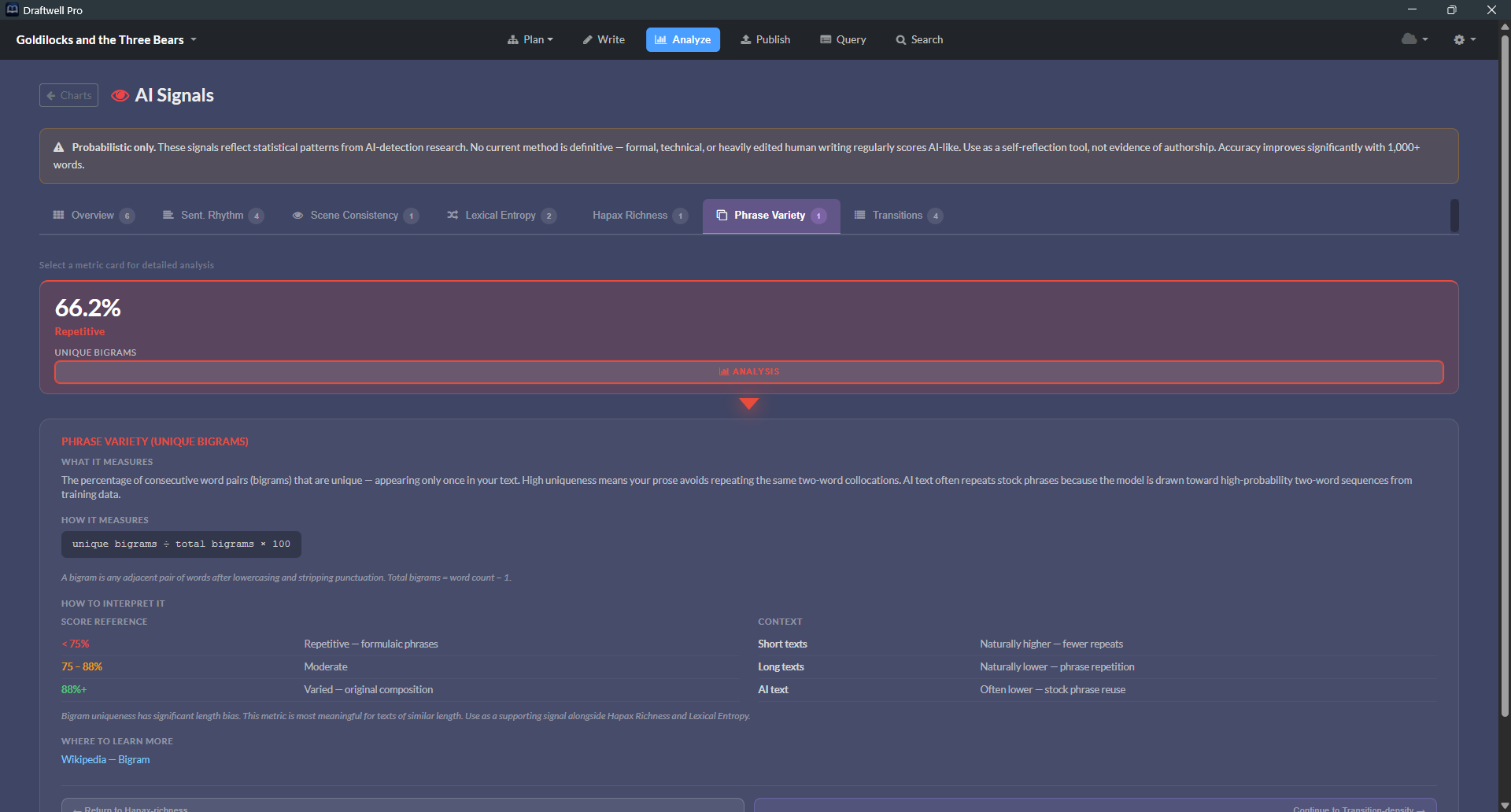
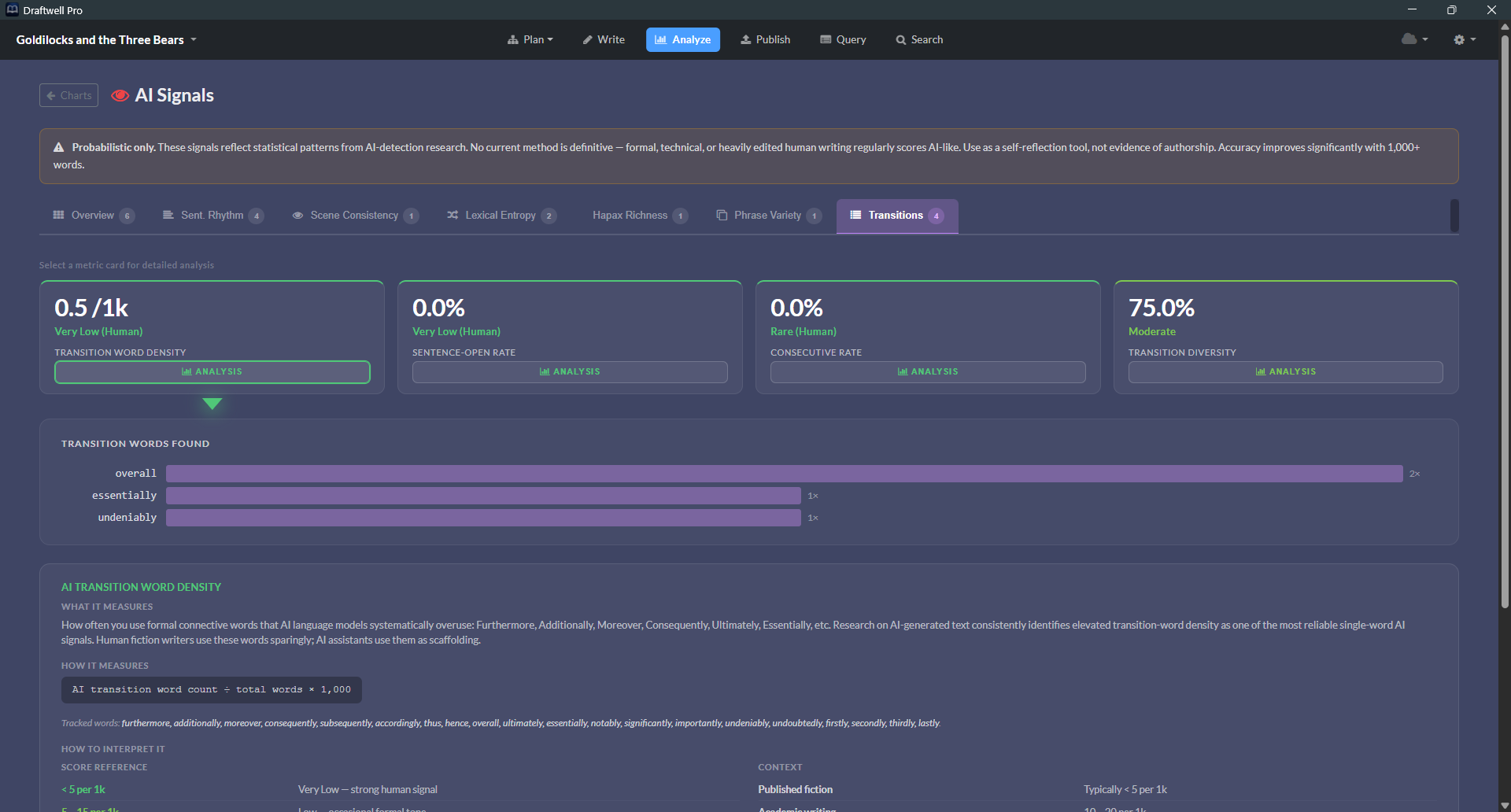
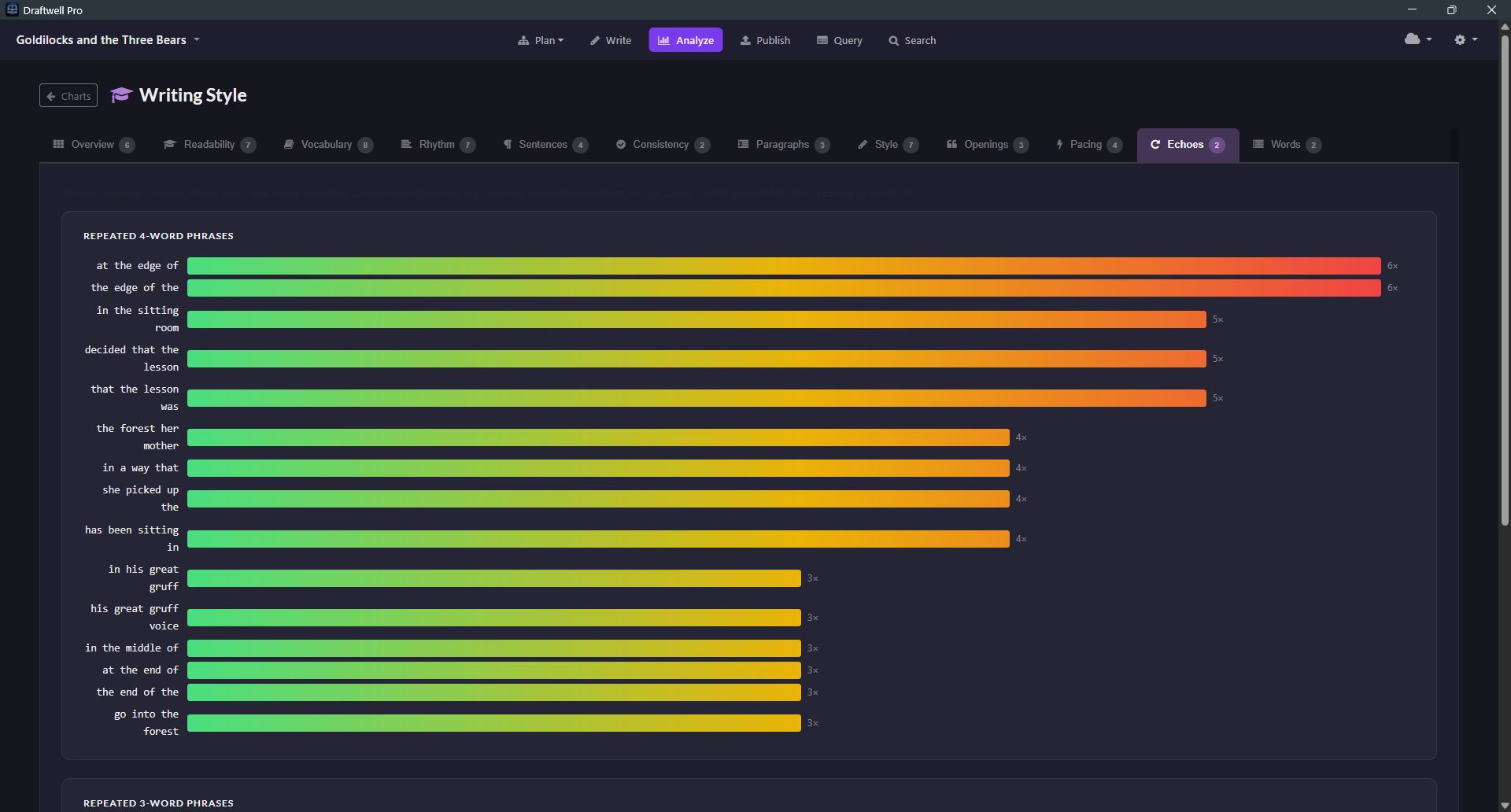
An overall AI Detection Score plus six underlying signals — Sentence Rhythm, Scene Consistency, Lexical Entropy, Hapax Richness, Phrase Variety, and Transitions — so you know whether your prose reads as human before an agent or reader does.

Writing Activity — Last 12 Months
87,244
Words Written
214
Sessions
3,892
Best Day

■ Less       More

Entities In This Scene
▼ Characters (4)
Elena Marsh ×14 protagonist
Marcus Cole ×8
The Warden ×3
Dr. Voss ×1
▼ Locations (2)
The Facility ×6 primary
East Wing, Floor 3 ×2
▼ Items (1)
The Red Keycard ×4 MacGuffin

Your story's cast,
mapped and tracked.

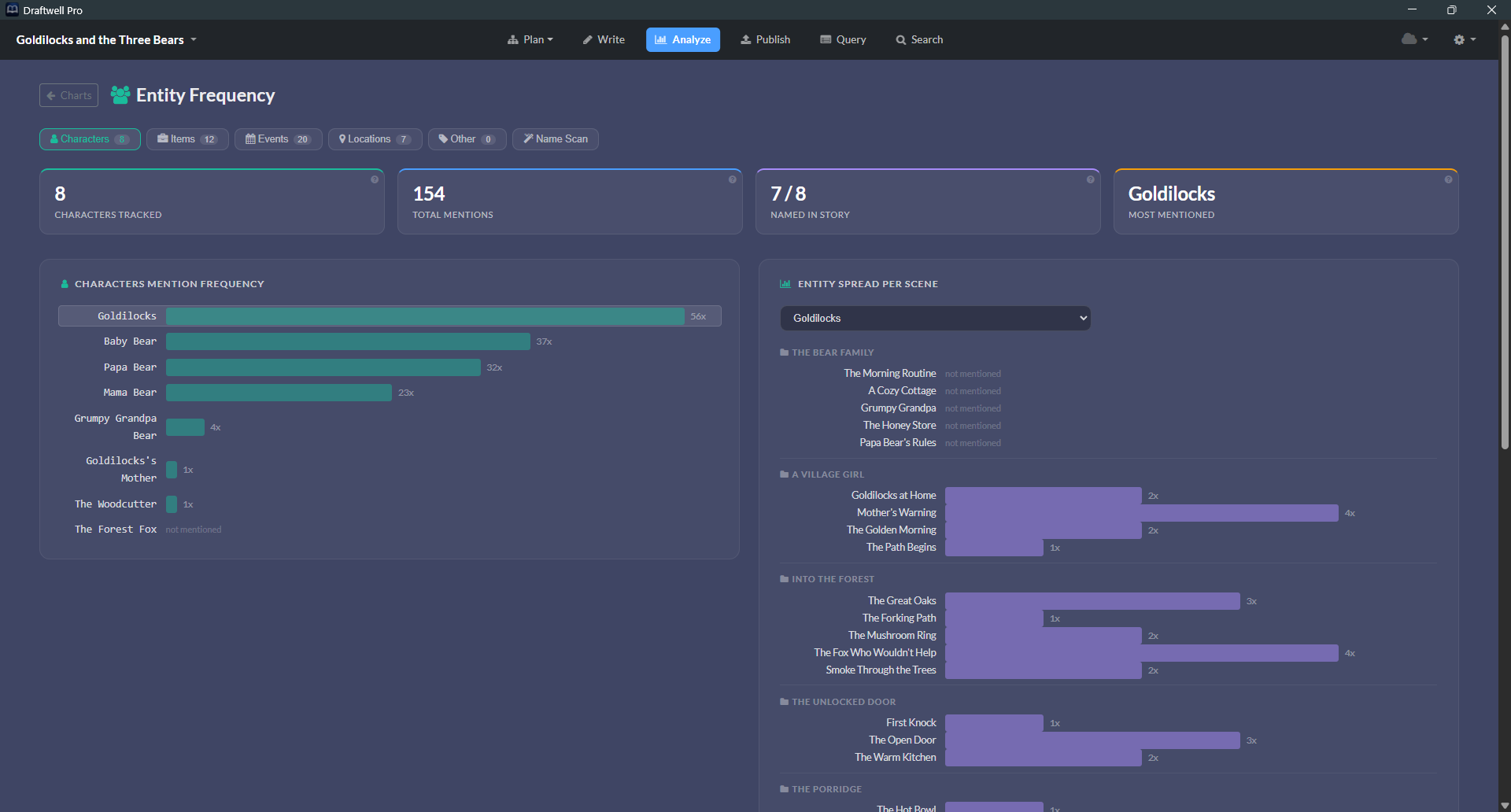
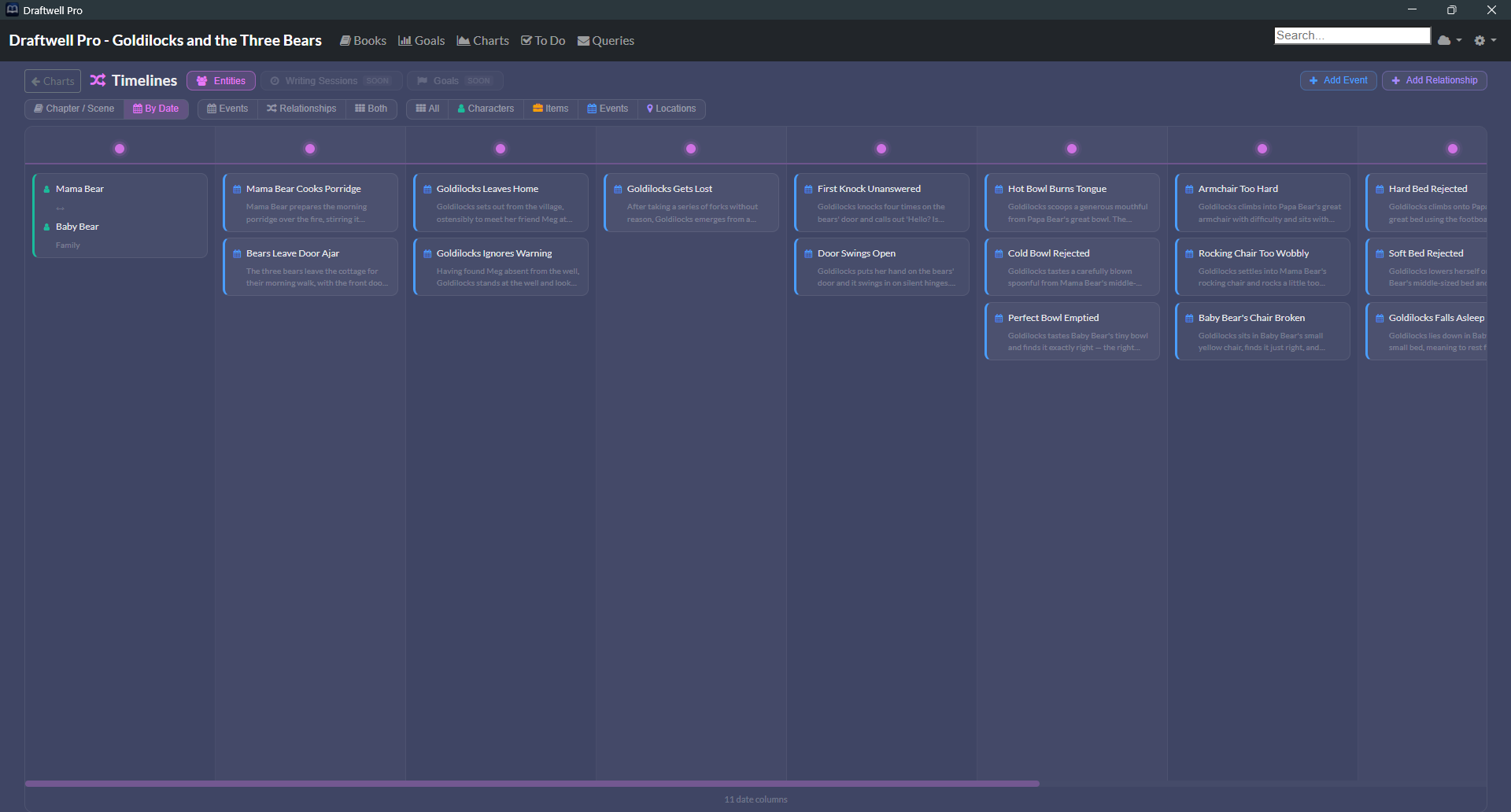
Every character, location, item, and event in your story — tracked in a live panel alongside the editor. When you're writing a scene, Draftwell Pro surfaces exactly which entities appear in it. No digging.

🔗

Relationship Mapping

Link any entity to any other — with a direction, a label, an in-story date, and a description.

🔍

Name Scan

Auto-detects recurring capitalized names in your prose you haven't formally defined yet. Surfaces the characters you forgot to track.

📊

Mention Analytics

See which scenes mention each entity and how often. Reveals the chapters where a character goes completely dark.

From first query to
"we'd like to offer..."

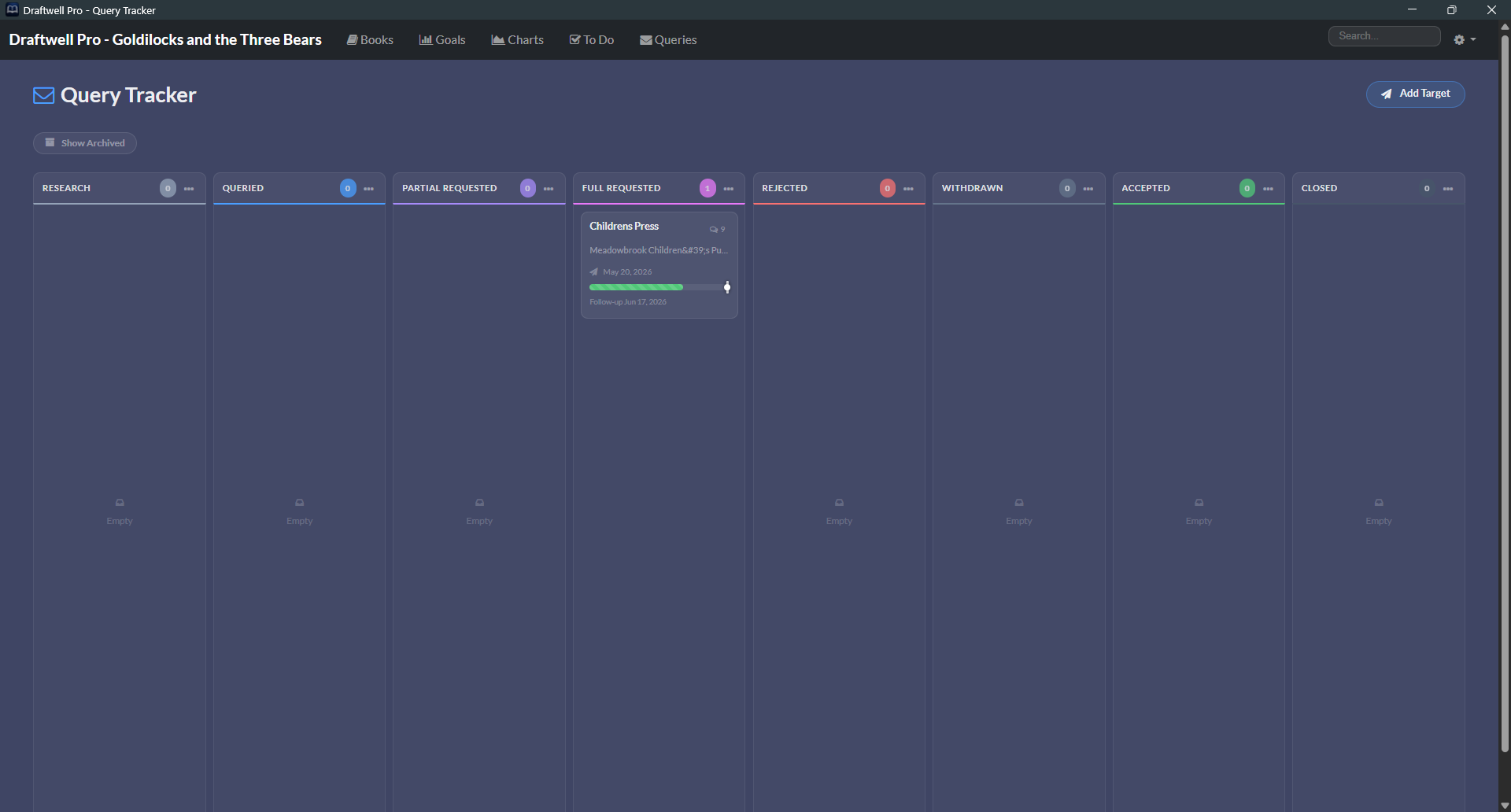
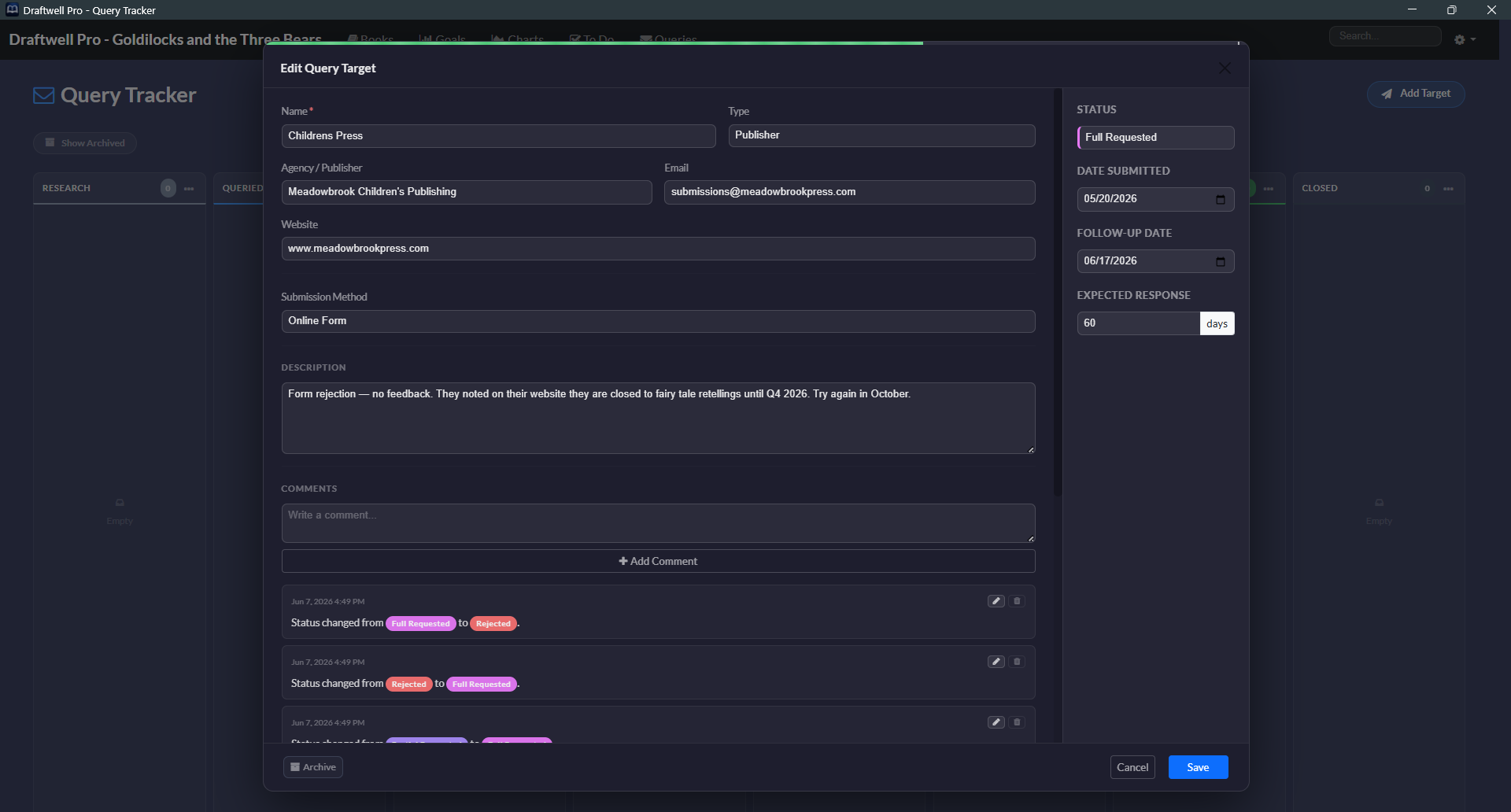
A full submission pipeline built as a drag-and-drop Kanban board. Every agent, publisher, and contest — tracked with dates, follow-ups, and a complete paper trail.

Research 2
Agent
Sarah Levine
The Levine Agency
Queried 5
Agent
Michael Torres
Curtis Brown
38 / 90 days
Publisher
Tor Books
Macmillan
147 / 180 days
Partial Req. 1
Agent
Claire Whitmore
Folio Literary
12 / 45 days
Full Req. 1
Agent
David Park
WME Books
54 / 90 days
Rejected 12
Agent
Jane Elliott
ICM Partners
Accepted 🎉 0
🎊
Your moment is coming.
Confetti fires on Accepted.

Drag cards between columns to update status  ·  Status changes log automatically in the comment thread  ·  Archive old queries without losing history

Clock in. Clock out.
Know what your writing time is worth.

Draftwell Pro tracks every writing session automatically. Open a book, start typing — you're clocked in. Step away for 30 minutes — you're clocked out. No buttons to push. No logging.

Auto Clock-In on First Keypress

The timer starts when you start writing. Elapsed time shows live in the top navigation bar.

😴

30-Minute Inactivity Timeout

Step away from your desk and the session ends cleanly. No runaway timer logging three hours of you staring at the ceiling.

Words Per Minute Velocity

Derived automatically from word count snapshots at clock-in and clock-out, across all sessions.

214h
Total Time
47m
Avg Session
2h 38m
Longest Session
312
Sessions
Date Duration Start Words
Jun 07, 20251h 12m9:14 AM+847
Jun 06, 20250h 38m10:02 PM+412
Jun 05, 20252h 14m8:30 AM+2,103
Jun 03, 20250h 22m11:45 PM+188
Jun 01, 20251h 47m7:15 AM+1,644
May 30, 20250h 55m2:30 PM+701
Today's session — 500 words Active
360 / 500 words72%
Chapter 7 draft — 2,000 words Complete 🎊
2,114 / 2,000 words✓ Done
Weekend marathon — 5,000 words Complete 🎊
5,341 / 5,000 words✓ Done

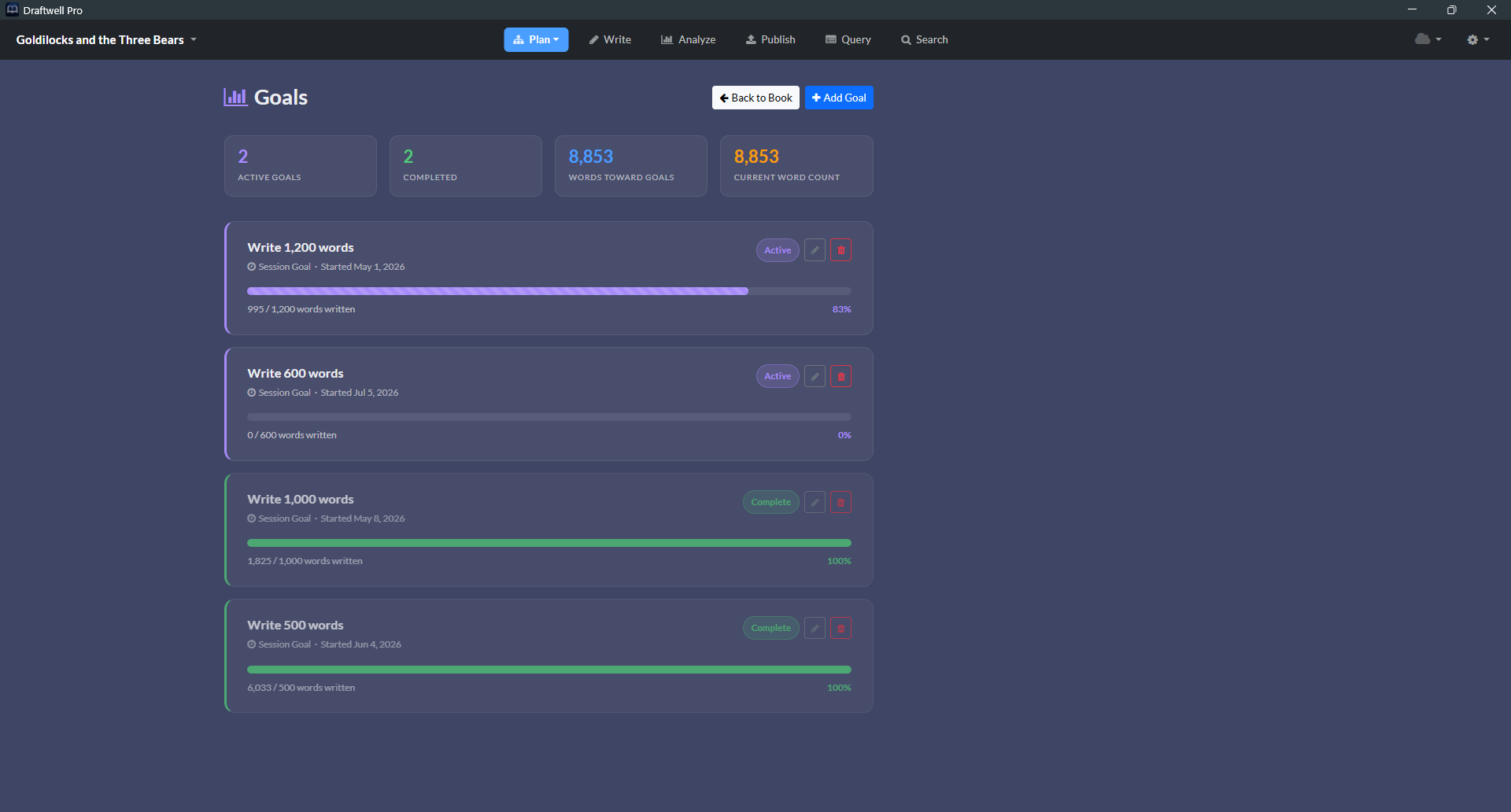
Set the target.
Fill the bar.

Session goals are simple: pick a word count target, watch Draftwell Pro track your progress in real time as you write. Confetti fires when you hit it.

🎯

Live Progress Bar

Set a word target. Watch the bar fill as you type. As simple as it sounds.

🎊

Confetti on Completion

Because finishing deserves a moment. Confetti fires when you cross the line.

📋

Active & Completed History

Every goal stays on record. Total words written toward goals, tracked across all sessions.

The tasks that don't belong
in the manuscript — but have to live somewhere.

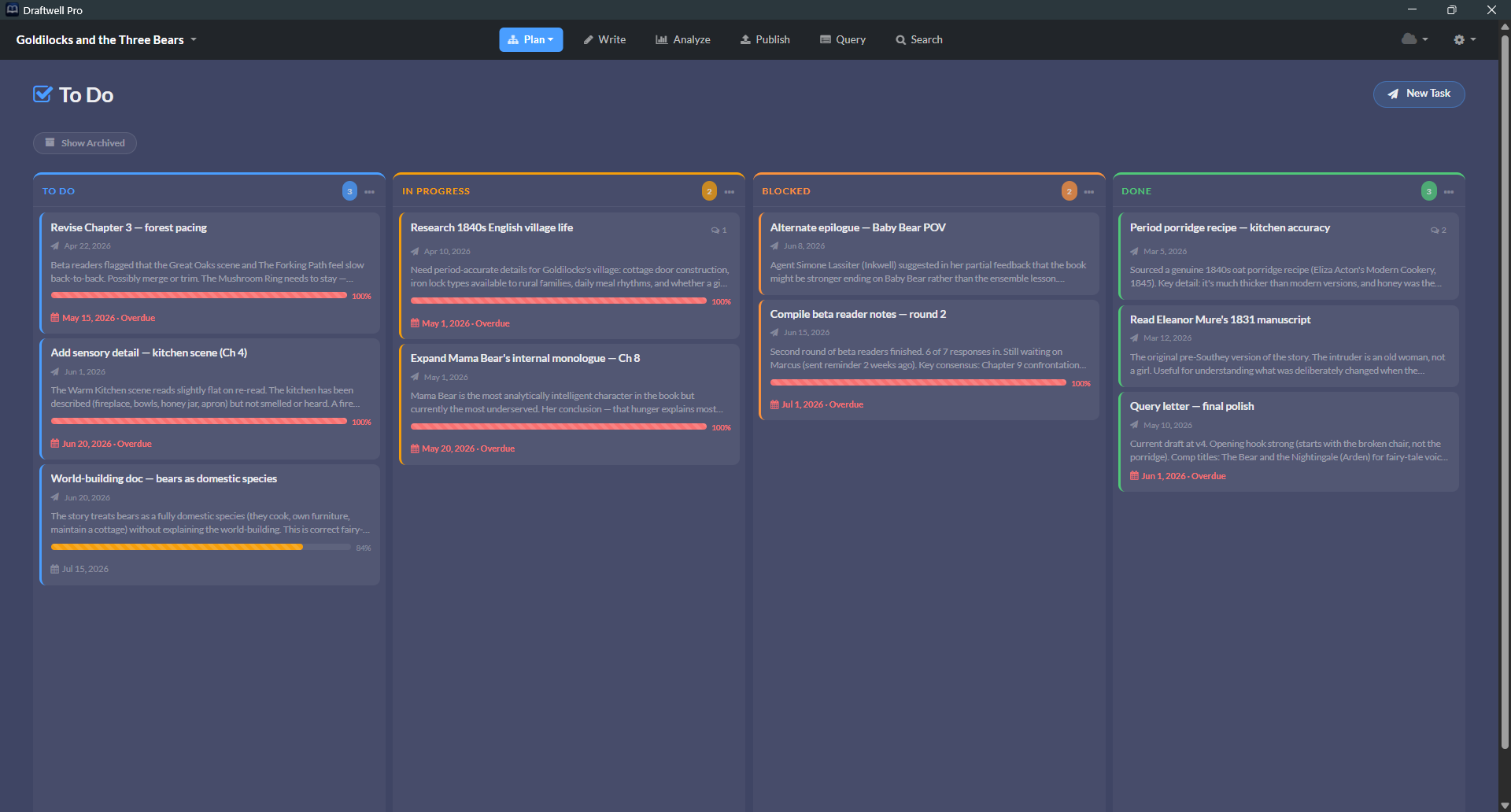
A Kanban board for writing-adjacent work: research to finish, scenes to rewrite, people to email. Anything with a status and a deadline.

To Do 4
Research Victorian asylum records
Due Jun 15
Outline Act 3 reversal
No due date
In Progress 2
Rewrite Ch. 4 — Elena's intro
Due Jun 10
Mentions: Elena Marsh ↗
Blocked 1
Get sensitivity read for Warden scenes
Waiting on beta reader
Mentions: The Warden ↗
Done 8
Draft query letter
Completed May 12
Write synopsis — 1 page
Completed May 18

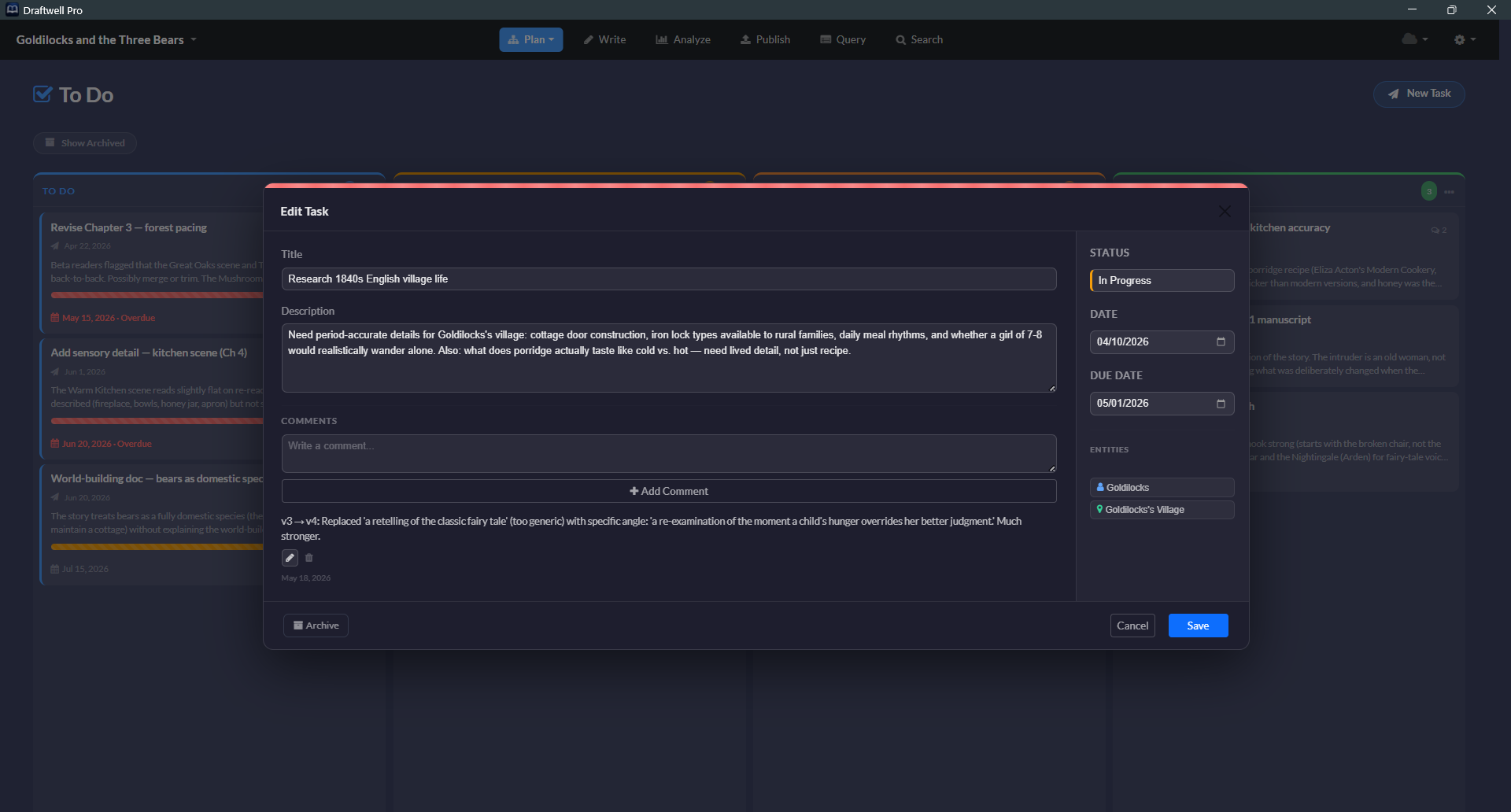
Write a character name in a task and Draftwell Pro surfaces a direct link to that entity's detail view  ·  Start & due dates generate a progress bar that turns amber at 80%, red when overdue

Your manuscript,
ready to send anywhere.

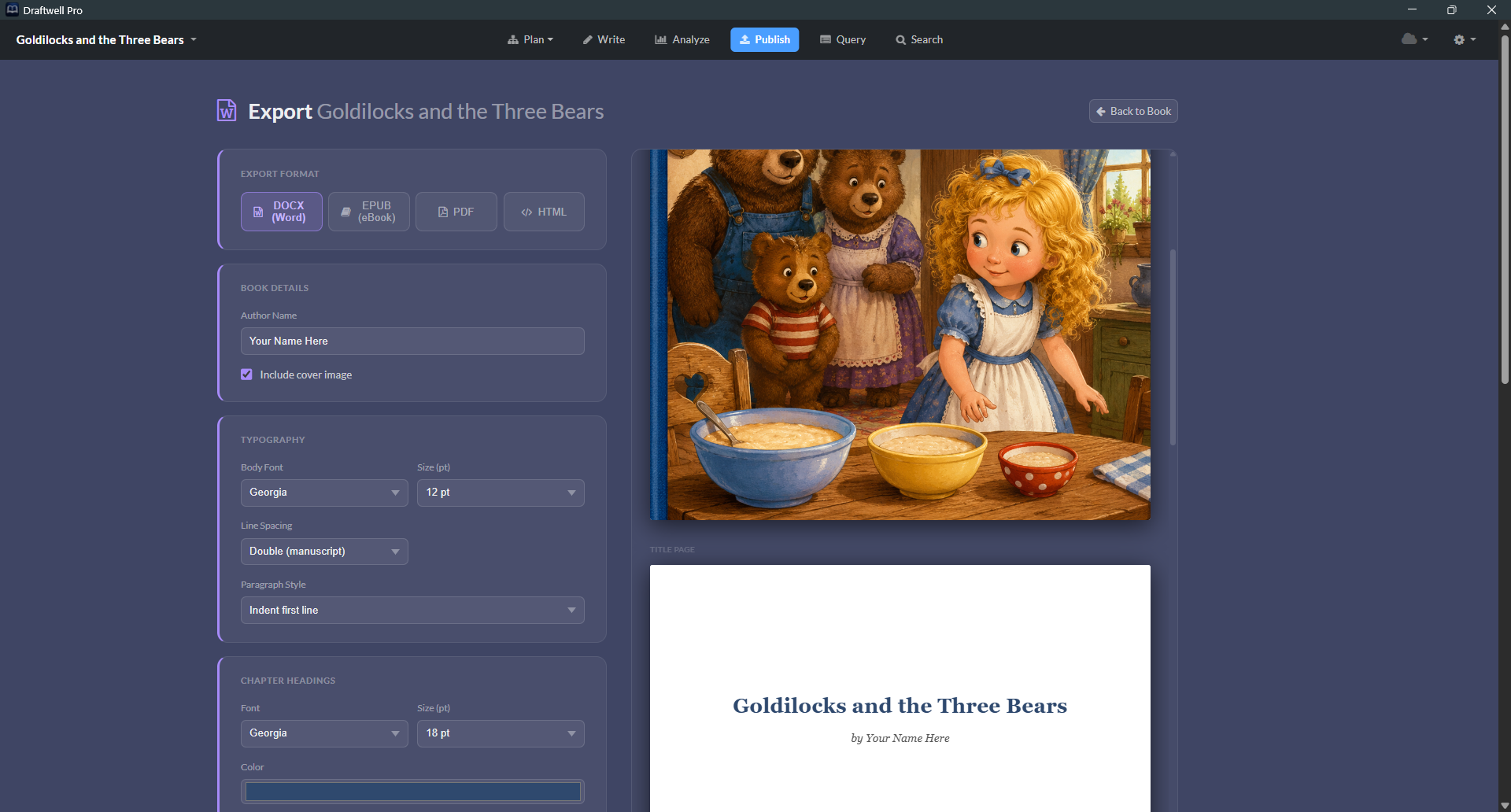
When you're ready to get your book out of Draftwell Pro and into the world, the exporter gives you full control over how it looks.

📄
DOCX
Microsoft Word format. Compatible with every publisher, agent, and writing workshop on earth.
📱
EPUB
The standard ebook format. Includes metadata, cover image, and series info.
🌐
HTML
Single-file or multi-file export, with optional table of contents included.
📑
PDF
Print-ready PDF with optional AES-128 password protection for open and permissions.
Every export option you'd actually need
Author name Copyright notice ISBN / LoC Number Fiction disclaimer Dedication Body font & size Line spacing Paragraph style Chapter heading format Scene break style Page margins Running header Table of contents Cover image Heading font & color Notes companion DOCX PDF password encryption
Export dialog

Your books, backed up.
Your cloud. Your files.

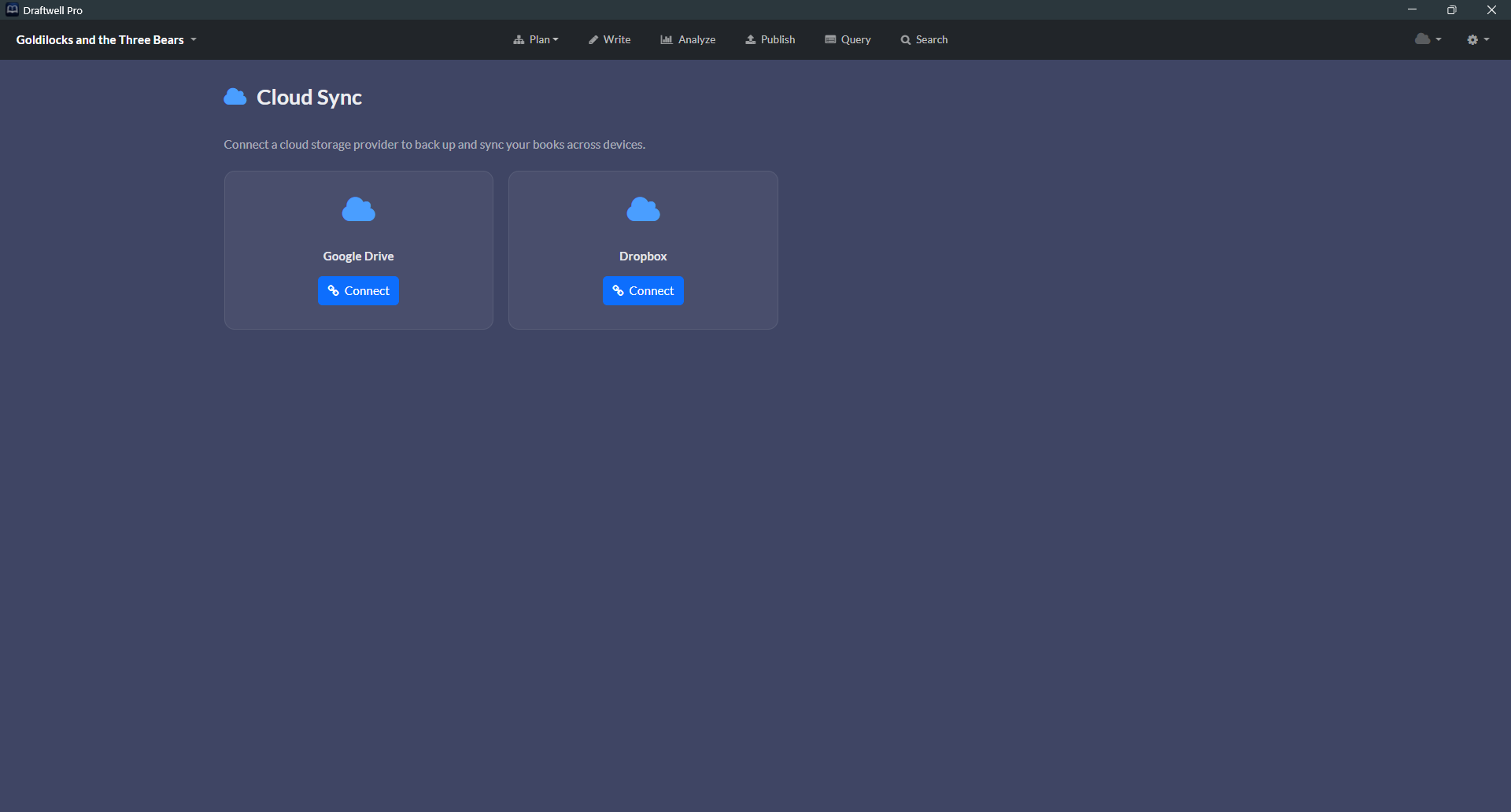
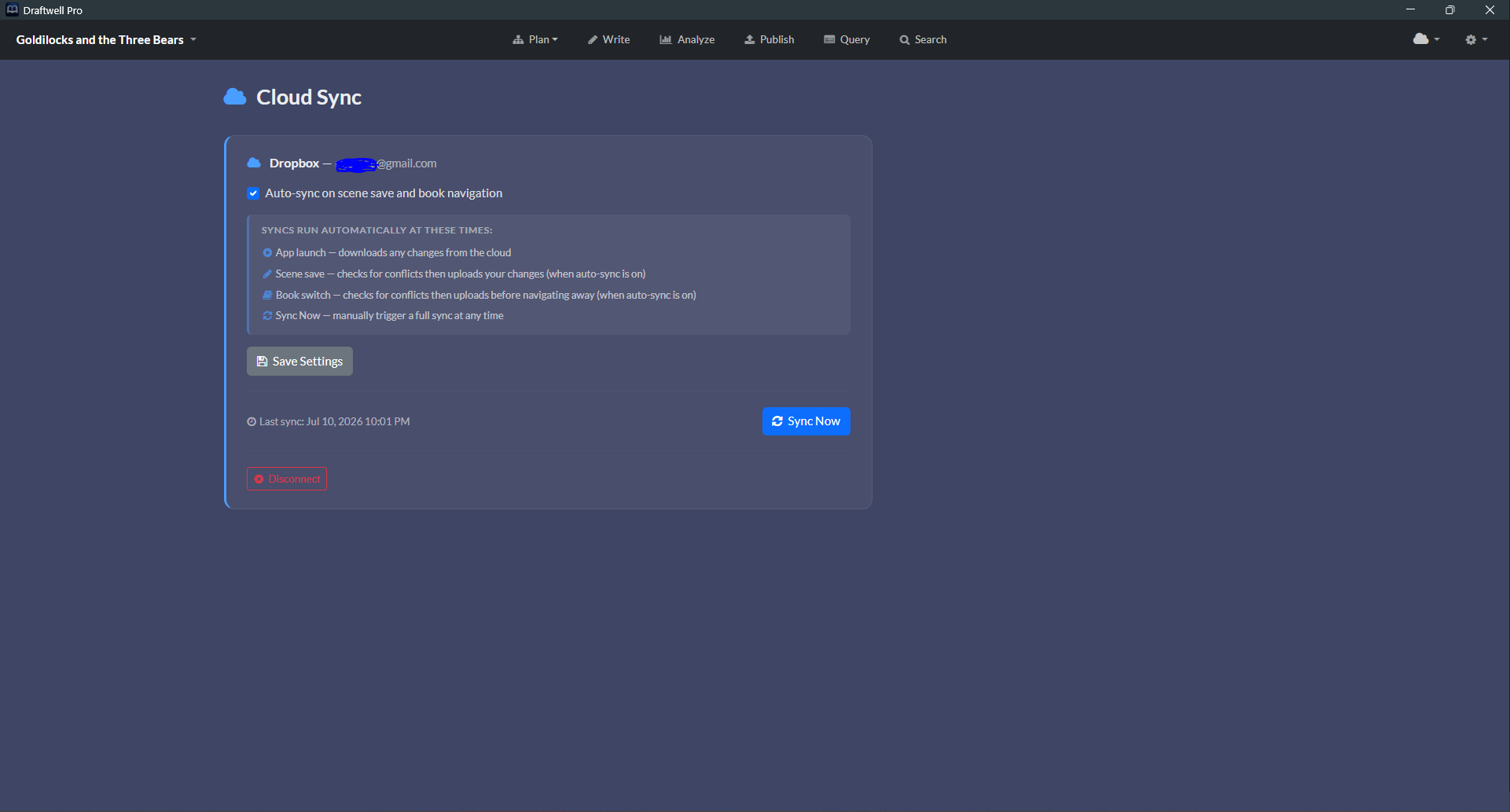
Optional, opt-in backup and sync to your personal Google Drive or Dropbox. Your books go to your storage — no Draftwell Pro server ever sees them.

Your Cloud Account

Books sync directly to your own Google Drive or Dropbox — not to us. We never have access to your files or your account.

💻

Multi-Device Backup

Install Draftwell Pro on a second machine and pick up exactly where you left off. Your .auth files follow you.

🔄

Conflict Resolution

Edited the same book on two machines? Draftwell Pro detects the conflict and walks you through a scene-by-scene diff so you decide what to keep.

🔓

100% Opt-In

Disabled by default. Connect when you want it, disconnect whenever you like. Nothing moves without your say-so.

Works with Google Drive and Dropbox

Your words. Your machine.
Your rules.

Draftwell Pro runs entirely on your own computer by default. Nothing is ever sent to a server unless you turn on cloud sync yourself. No account required. No telemetry.

🔒

Local-First

All data stays on your machine. No internet connection required to write. No server. Cloud sync is opt-in — off unless you switch it on.

💾

One File Per Book

Each book is a single .auth file. Back it up, move it, copy it to a USB drive — it's just a file.

Read our Privacy Policy →

Every version of your book,
quietly saved in the background.

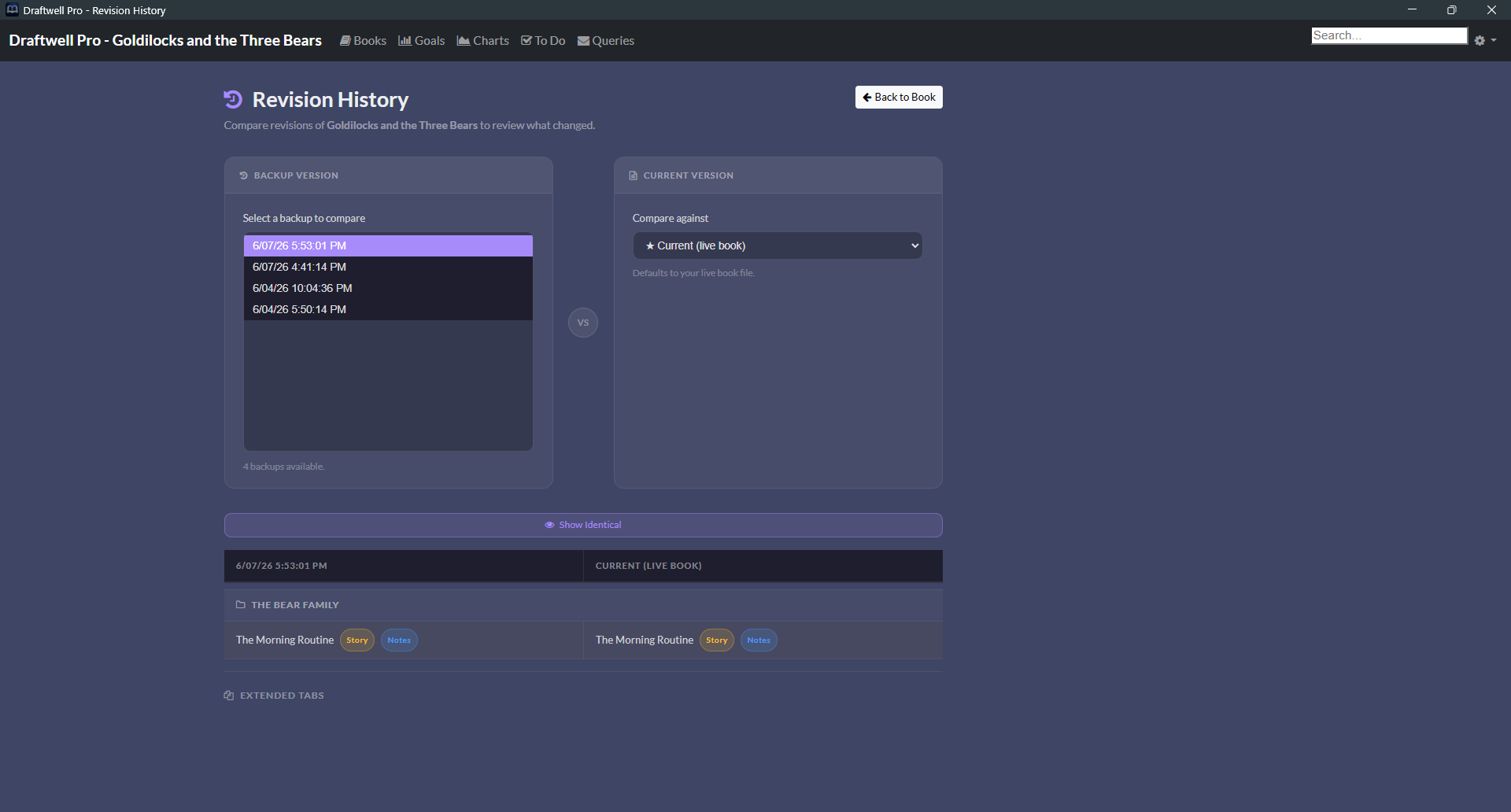
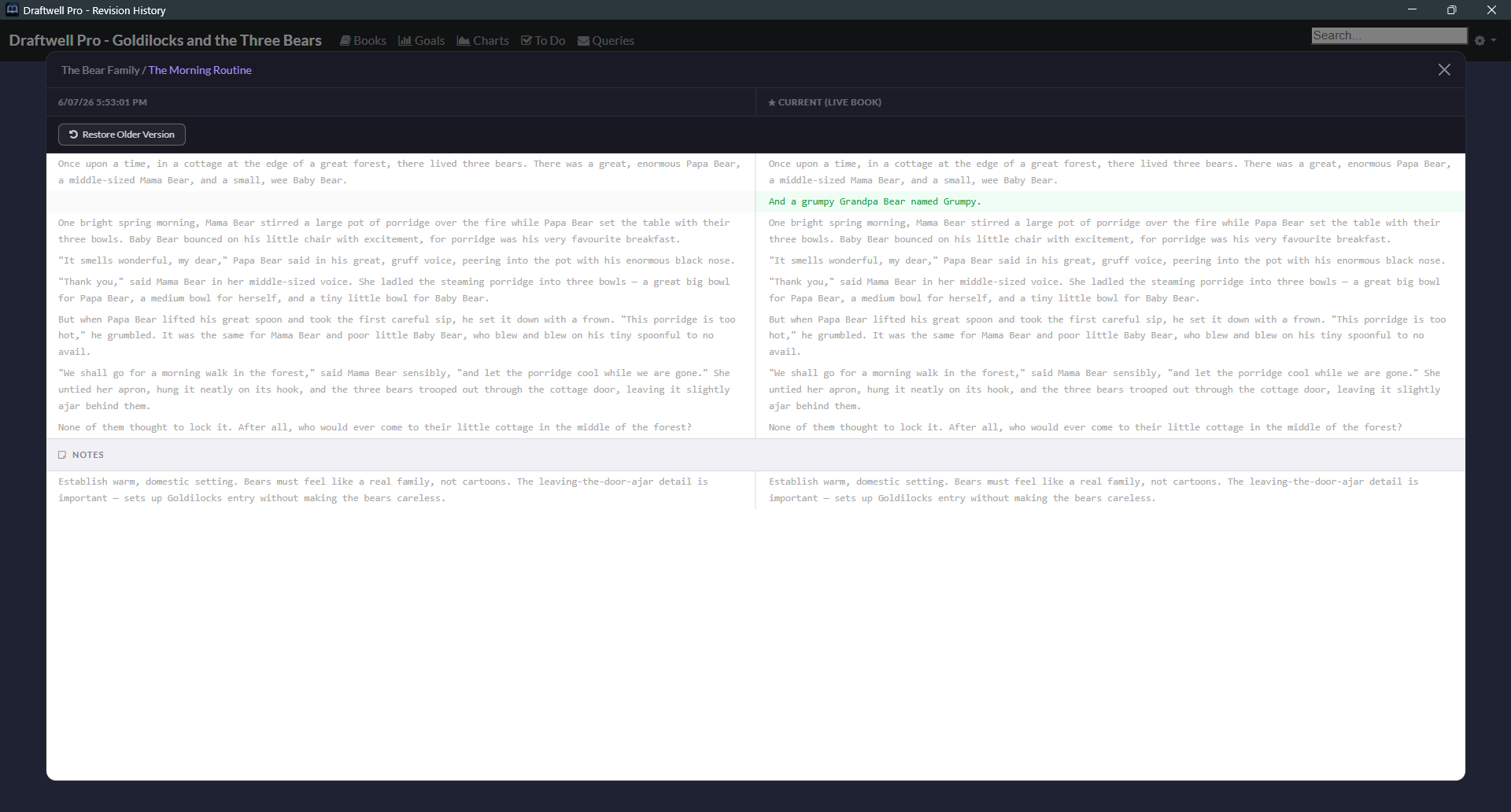
Draftwell Pro runs a GFS (Grandfather-Father-Son) backup system automatically. Every time you open a book, a timestamped snapshot is created. If you blew up a chapter at 2am — it's still there.

📅

Smart Retention Policy

Last 5 opens  ·  7 daily  ·  4 weekly  ·  12 monthly. Never an infinite pile — capped at ~28 backups per book.

🔄

Side-by-Side Comparison

Browse your backup history and compare any snapshot to the current version before restoring.

What Draftwell Pro is not.

Worth being direct about.

🤖

Not AI

Draftwell Pro does not generate, suggest, or rewrite your prose. There is no autocomplete. Every word in your manuscript is yours.

💳

Not a Subscription

Buy it once. No monthly fee. No annual renewal. No "your files are locked until you upgrade" gotcha.

Not Cloud-Locked

No account required, no forced sign-in. Cloud sync is opt-in to your own Google Drive or Dropbox — Draftwell Pro's servers never see your files.

Not Scrivener

Chapter/scene planning without the overhead. No compile step. No snowflake method wizard. No 47 preference panels. A sidebar, an editor, an Outline board, and a lot of data about how you're actually writing.

How the five stack up,
feature by feature.

Here's an honest, feature-by-feature look at where each one actually wins.

Feature comparison between Draftwell Pro, Scrivener 3, Atticus, Dabble, and yWriter
Feature Draftwell Pro Scrivener 3 Atticus Dabble yWriter
Price $10 one-time (reg. $19.99) $59.99/platform · $95.98 bundle $147 one-time $9–$29/month, or $699 lifetime Free (optional one-time donation, up to $24.95)
Free trial 10 hours of active writing time, non-consecutive 30 days of actual use, non-consecutive No free trial — 30-day money-back guarantee after purchase 14 days, no credit card Not applicable — free forever, no trial needed
Subscription None None None Optional monthly/annual plans (lifetime option also available) None
Works offline, no account required Yes — fully local, no account Yes — fully local, no account No — browser app, account & cloud storage required No — cloud-first, account required (offline edits sync later) Yes — fully local, no account, no cloud at all
Import from Word Guided wizard — maps headings to chapters/scenes Imports .docx, no chapter/scene mapping step Imports .docx, but requires manual Heading-1 & page-break prep first No file import — copy/paste only (auto-detects chapter/scene breaks) Imports via RTF conversion — requires exact “Chapter N” headings & “* * *” scene-break markers
Outline / Corkboard Chapter/scene/synopsis board, drag to rearrange, zoom Freeform corkboard — labels, colors, grid/list layouts Not available (on roadmap) Plot Grid — spreadsheet-style story/timeline grid (Standard plan+) Storyboard view — drag/drop scene cards, more basic than Scrivener's
Entity & relationship tracking Dedicated panel, relationship mapping, name scan, mention analytics No dedicated system — keyword/metadata workarounds Not available (on roadmap) Story Notes — character/world sheets, no relationship mapping (Standard plan+) Character/location/item database, no relationship mapping or auto-detection
Entity highlighting in editor Known characters/locations/items glow as you type Not available Not available Not available Not available
Writing style analytics 6-axis dashboard — readability, vocabulary, rhythm, pacing Not available Not available Not available Not available
Story structure analytics Words/chapter & act-weight charts Not built in Not available Plot Grid organizes structure, but no analytics charts Word-count stats per scene/chapter, no act-weight charts
AI-signal detection Perplexity, burstiness, repetition & more, scene-by-scene Not available Not available Not available Not available
Writing activity heatmap 12-month heatmap, sessions, best day Writing History log, no heatmap view Not available Goal & word-count stats, no heatmap Basic project word-count stats, no heatmap
Automatic time tracking Auto clock-in, 30-min idle timeout, WPM velocity Manual targets/session stats only Not available Not available Not available
Session goals Live progress bar with confetti on completion Word-count targets with progress bar Not available Goals & stats tracking, incl. NaNoWriMo-style targets Per-scene/chapter word-count targets, no live progress bar
Query/submission tracker Built-in Kanban — agents, publishers, contests Not available Not available Not available Not available
To-do board Built-in Kanban, linked to entities Not available Not available Not available Not available
Revision backups Automatic GFS snapshots (~28 per book) Manual/on-compile snapshots Not available (on roadmap) Basic revision history; snapshot/restore still planned Not available
Export formats DOCX, EPUB, HTML, PDF (password option) DOCX, EPUB 3, MOBI/Kindle, PDF, HTML — deeper Compile engine EPUB, MOBI/Kindle, print-ready PDF Word, Google Docs, text & web only — no EPUB, PDF, or MOBI RTF, DOCX, HTML — no EPUB, PDF, or MOBI
Book design templates Style options — fonts, spacing, margins, headings Compile styles — flexible, but DIY 17 templates, 1,200+ design combinations Not available Not available
Collaboration (co-writer/editor/beta reader) Not available Not available Owner/Co-Writer/Editor/Beta-Reader roles with comments Real-time co-authoring (Premium plan) Not available
Cloud sync Google Drive or Dropbox, opt-in, conflict diff viewer Dropbox or iCloud only AWS cloud — mandatory, not optional Dabble's own cloud — mandatory, not optional Not available — entirely local, no cloud option
marks the stronger option(s) for that feature

Simple pricing.
No surprises.

Free Trial  ·  Windows & Mac OS
Free
10 hours of active writing time. No credit card. No sign-up. The full app on the clock.
  • Every feature, fully unlocked
  • 10 hours measured while you're actively typing
  • All your data stays yours — activate anytime
⬇ Download Free Trial Windows 10/11  ·  Mac OS 12+  ·  arm64
One-time purchase  ·  Windows & Mac OS
$10
reg. $19.99 50% off — code EARLYACCESS2026
Pay once. Own it forever. No subscription, no renewal, no expiry.
  • Full writing environment — Book → Chapter → Scene
  • Rich text editor with auto-save every 5 seconds
  • Import from Word & Outline Mode planning board
  • Entity tracking & relationship mapping
  • Six analytical dashboards, incl. AI Signal detection
  • Automatic time tracking & session history
  • Session goals with live progress bar
  • Full-text search across the entire book
  • Query Tracker Kanban board
  • To Do Kanban board
  • DOCX, EPUB, HTML & PDF export
  • GFS revision history — ~28 backups per book
  • 100% local by default — optional cloud sync to your own Google Drive or Dropbox
💳 Buy Now Windows 10/11  ·  Mac OS 12+  ·  arm64
Featured on Launch Llama