Windows might warn you. Here's why.
Draftwell Pro is built by one person, not a company — I can't justify Microsoft's several-hundred-dollar-a-year code-signing fee for a low-cost app. So the installer arrives unsigned, and Windows flags it as an "unknown publisher." It's not malware, just untrusted by default. Two quick steps fix it:
1
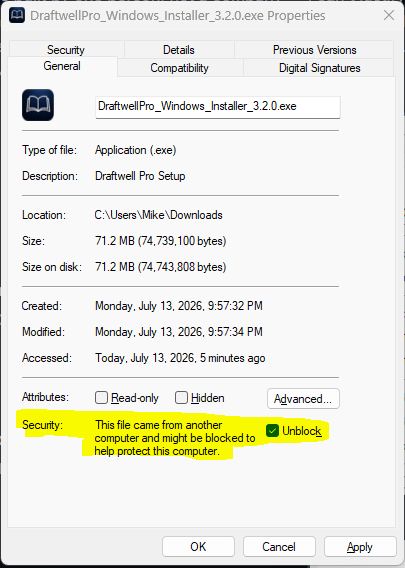
Right-click the installer → Properties
Find it in your Downloads folder, right-click, choose Properties.
2
Check "Unblock" → OK
On the General tab, check Unblock at the bottom, then click OK.